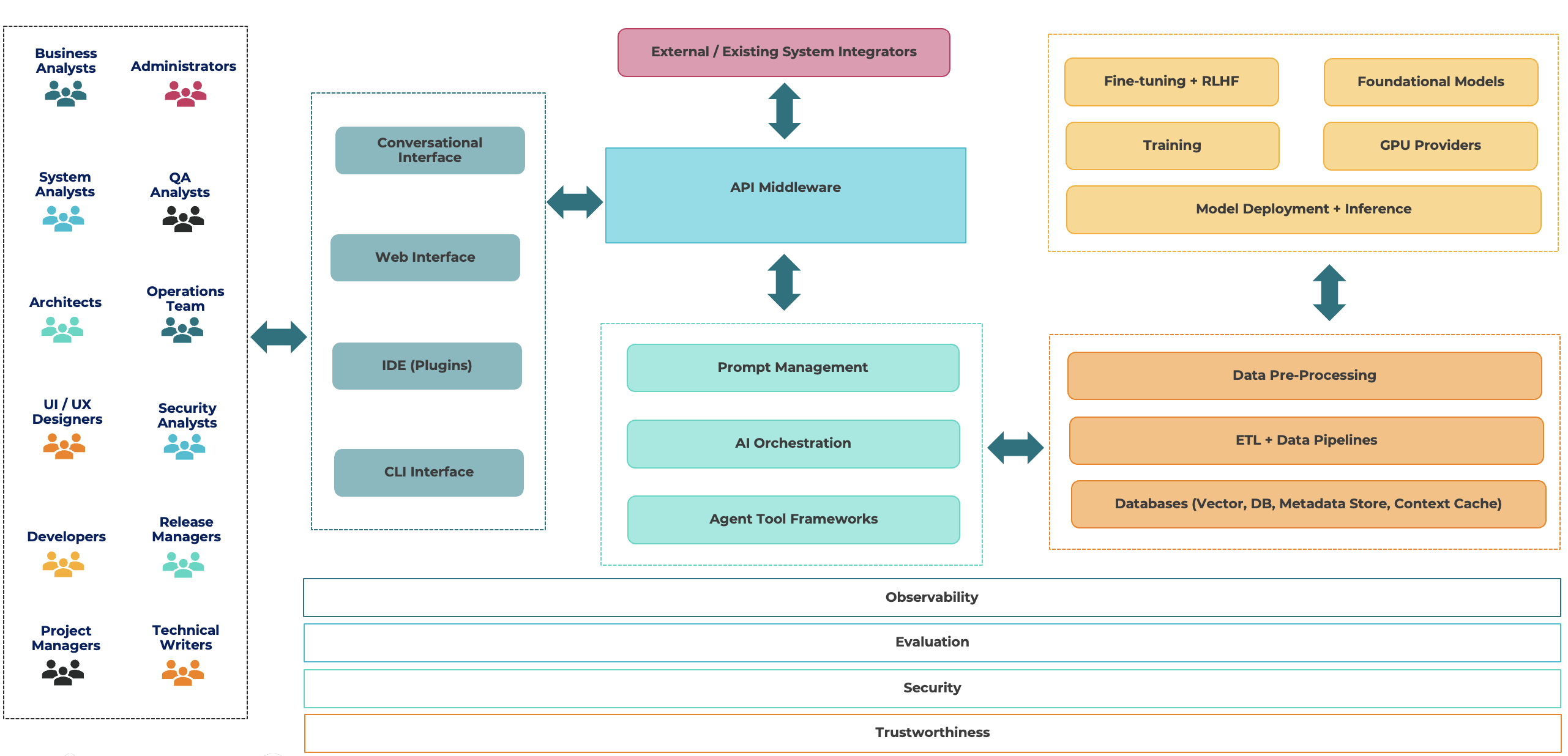
AI Driven Software Development
Table of contents
AI Code Assistant
Developers Coding Companion
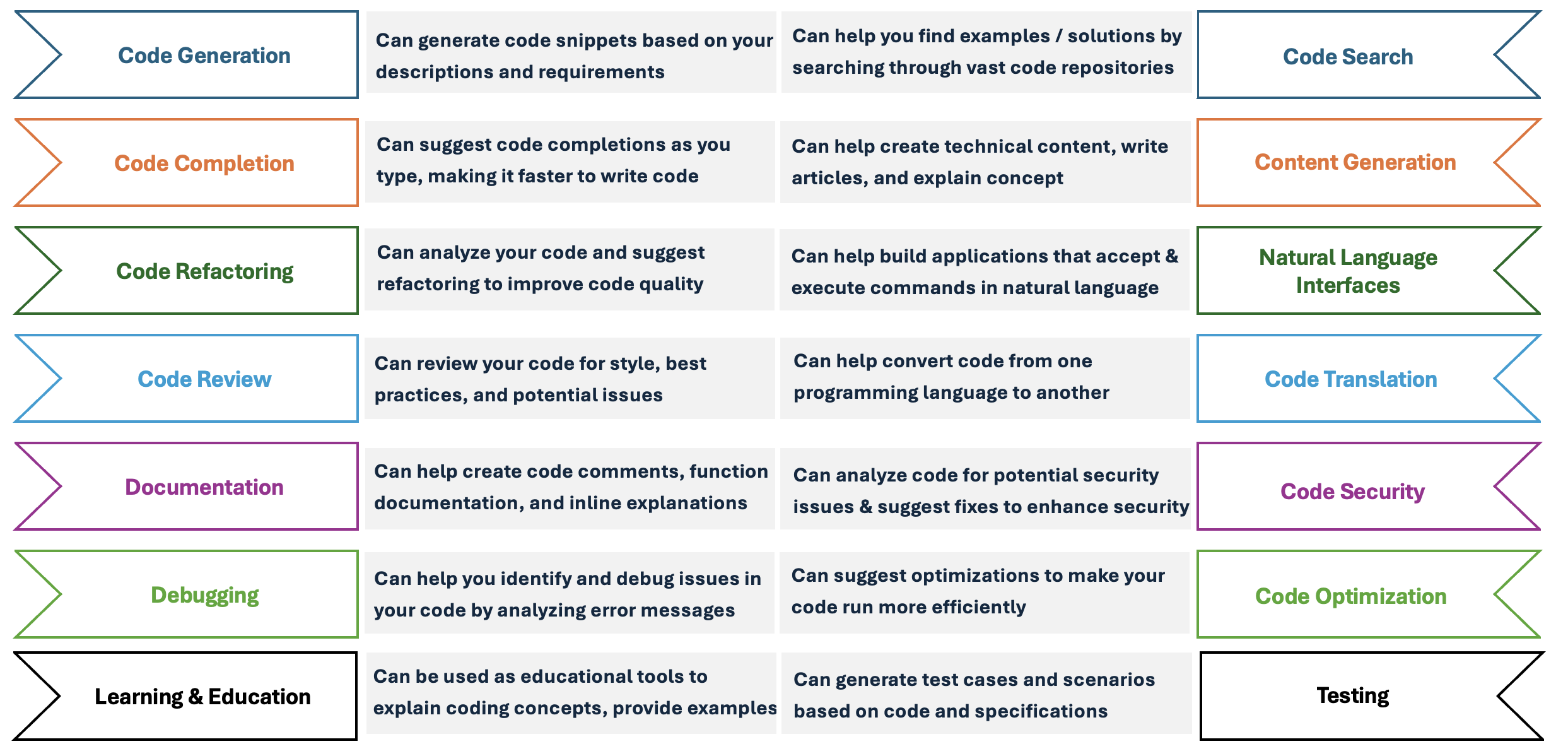
AI Autopilot for Software
Automated Creation, Monitoring and Maintenance with Artifical Intelligence
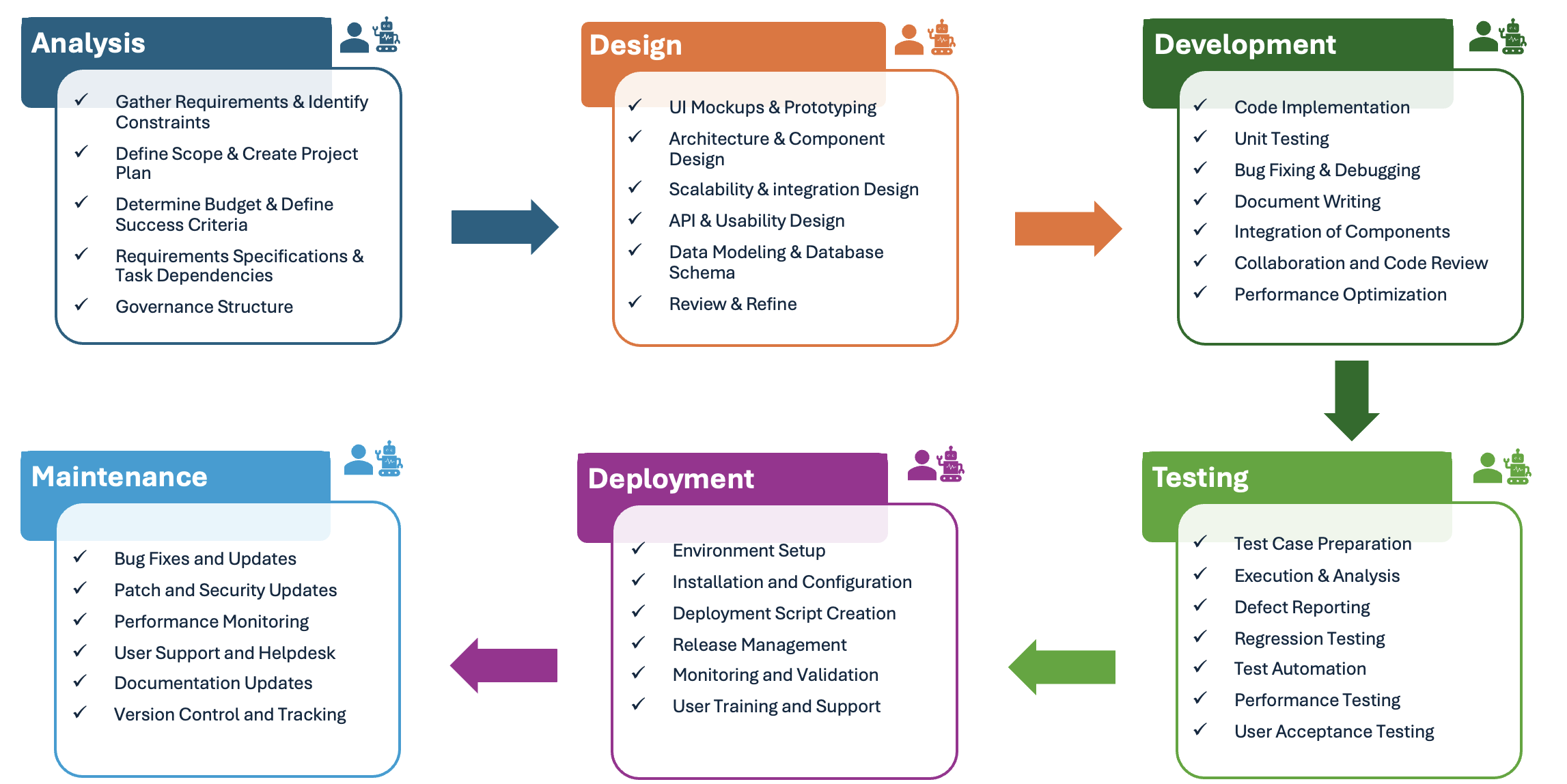
LLMs
Revolutionizing Software Development through Cutting-Edge Coding Assistance
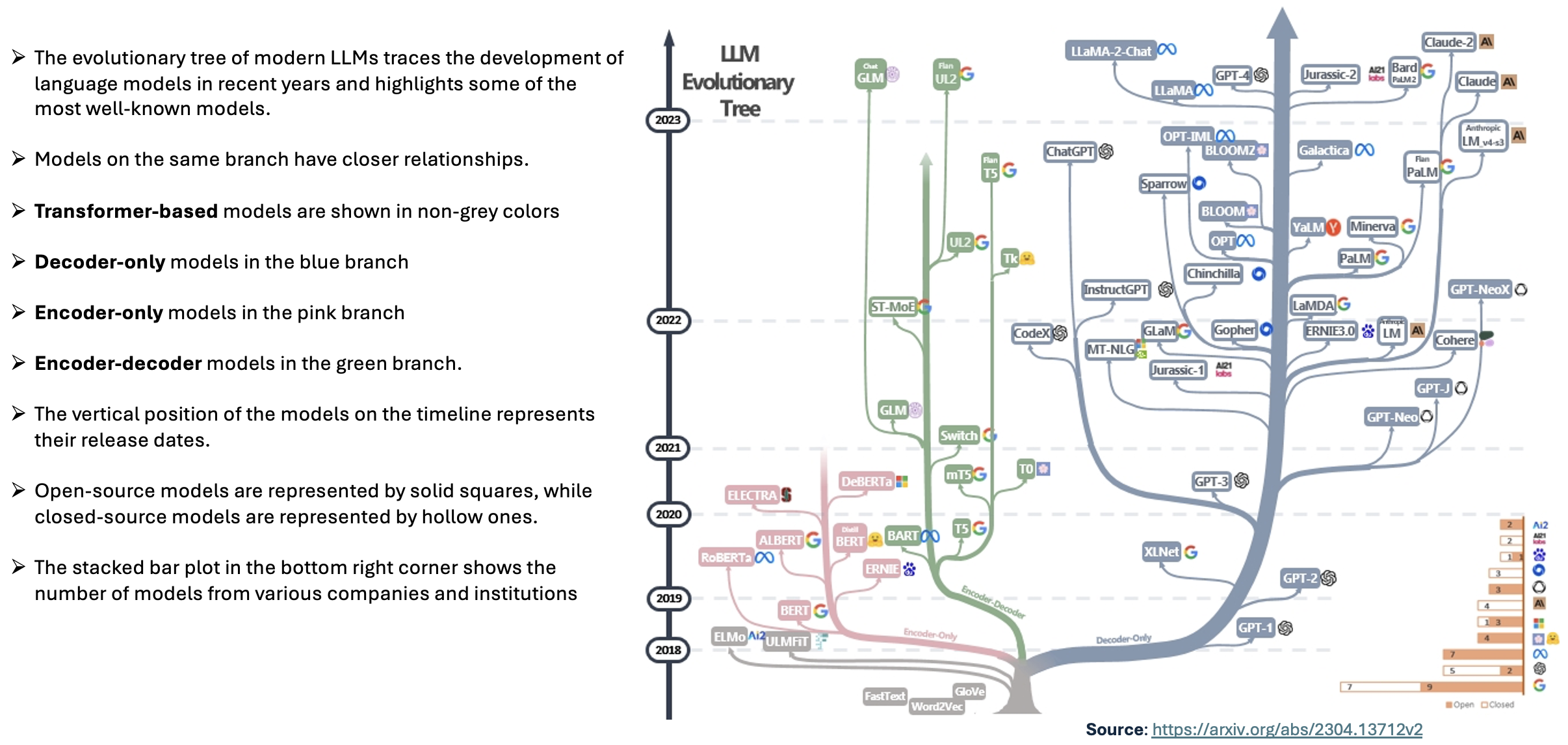
Evolution tree
Emerging Abilities
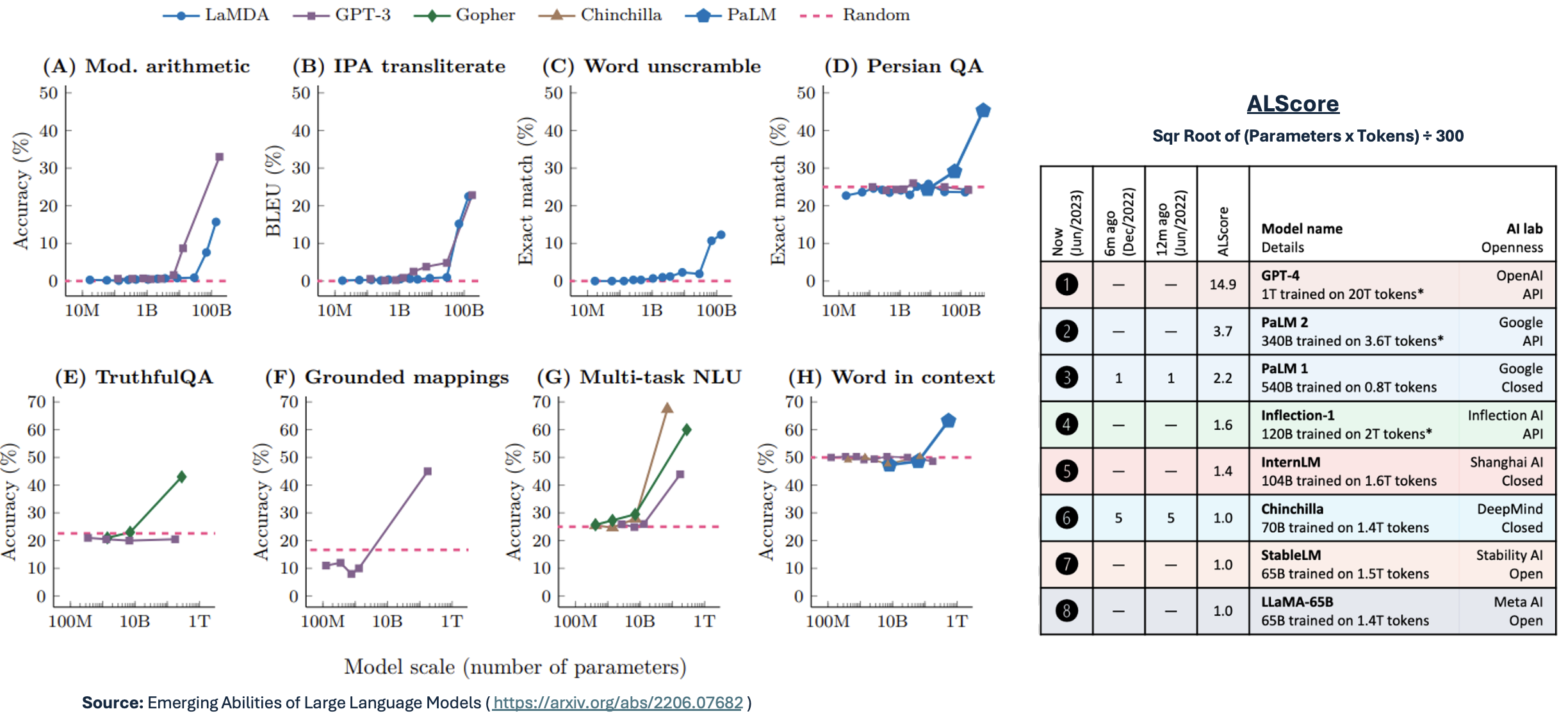
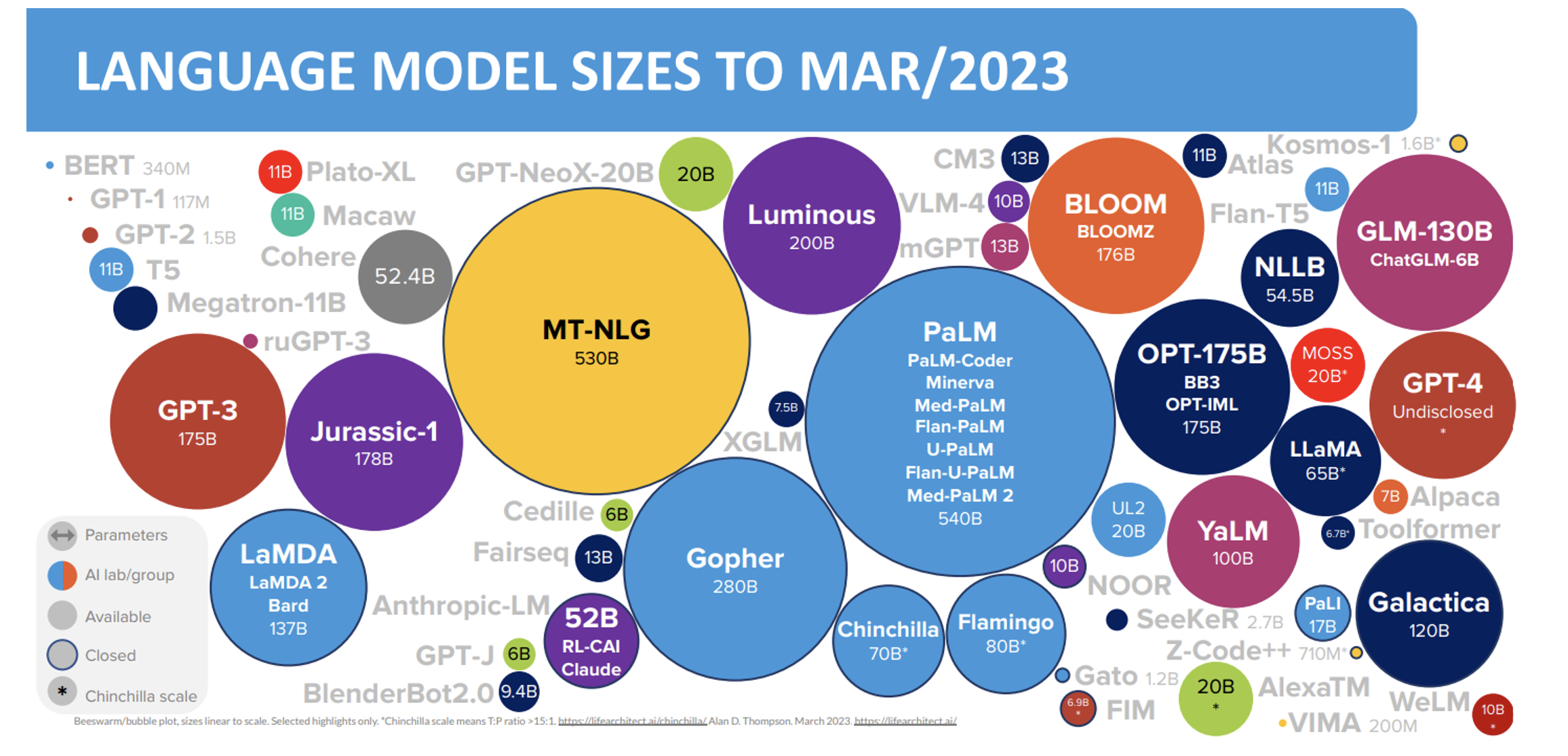
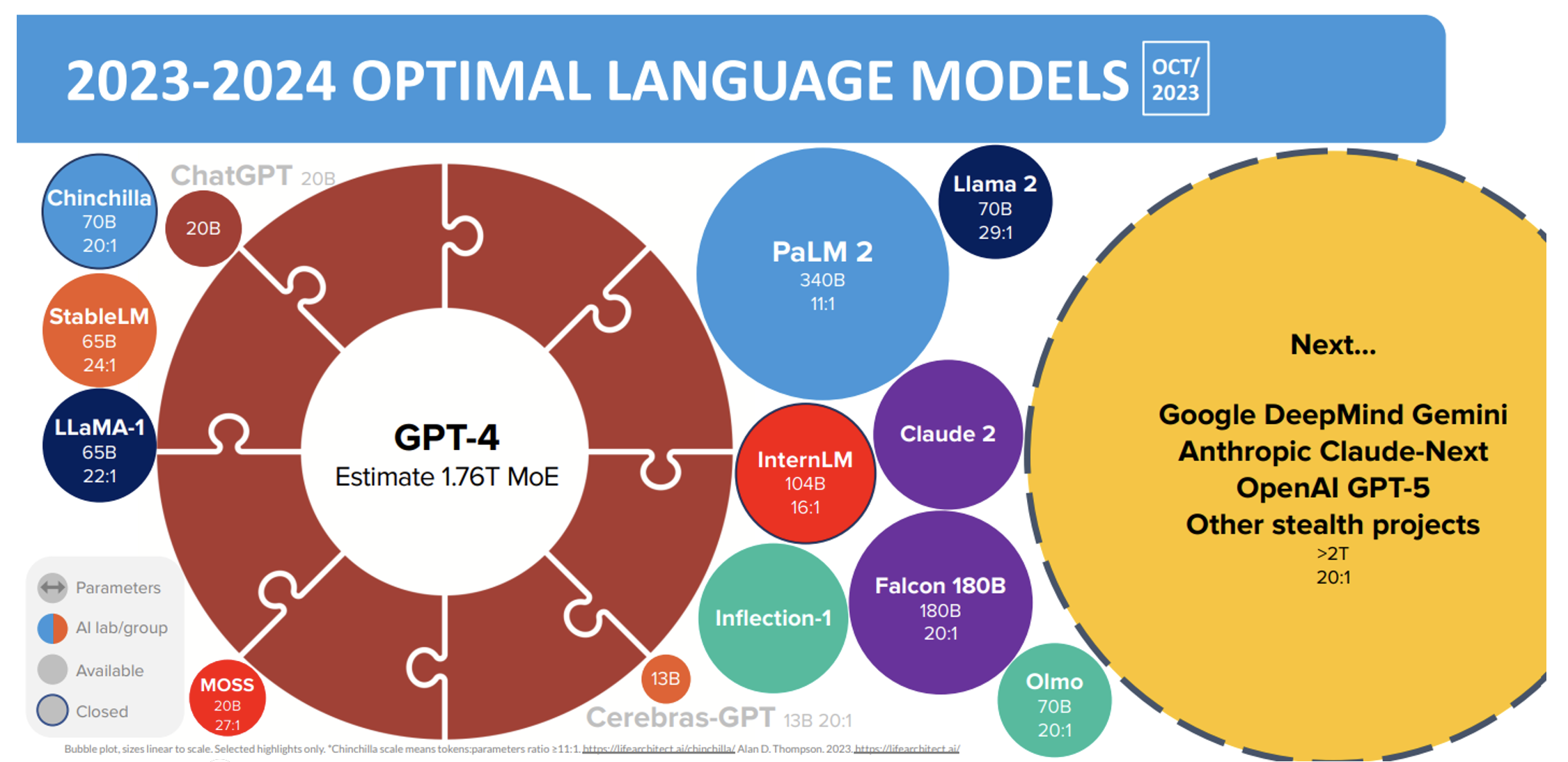
Model Sizes
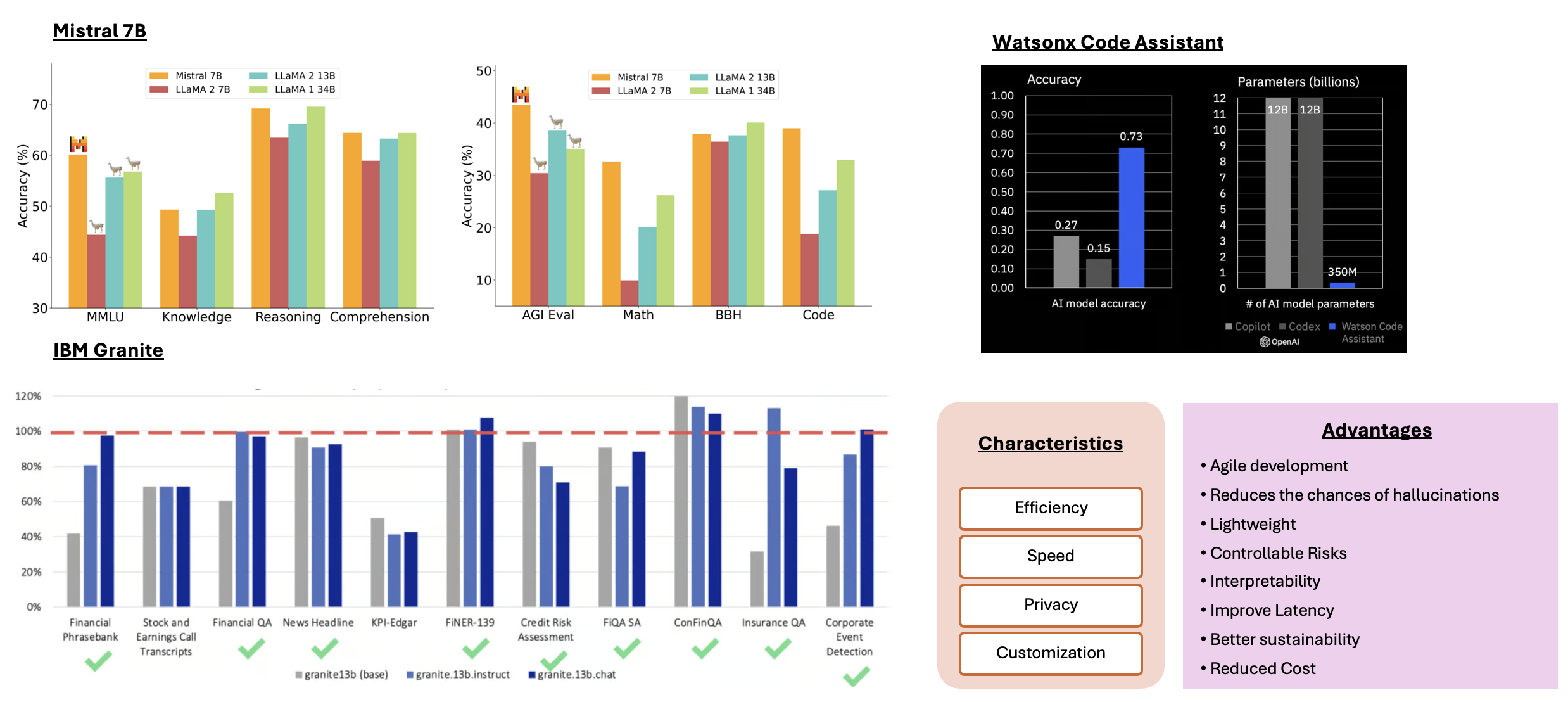
SLMs
Compact & resource-efficient neural networks with fewer parameters
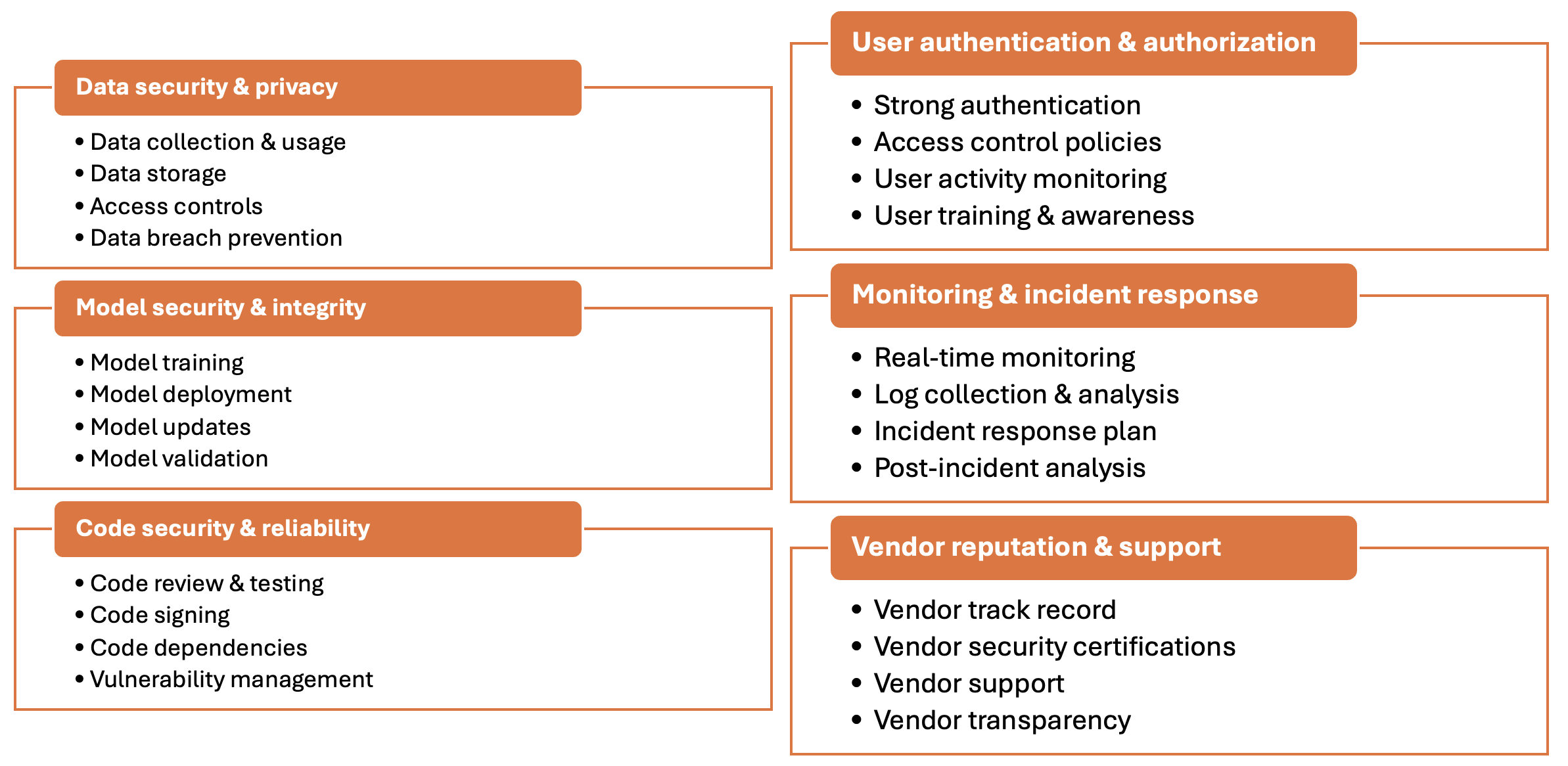
Security
Confidentiality, integrity and availability of the assistant, its data, and its functionality
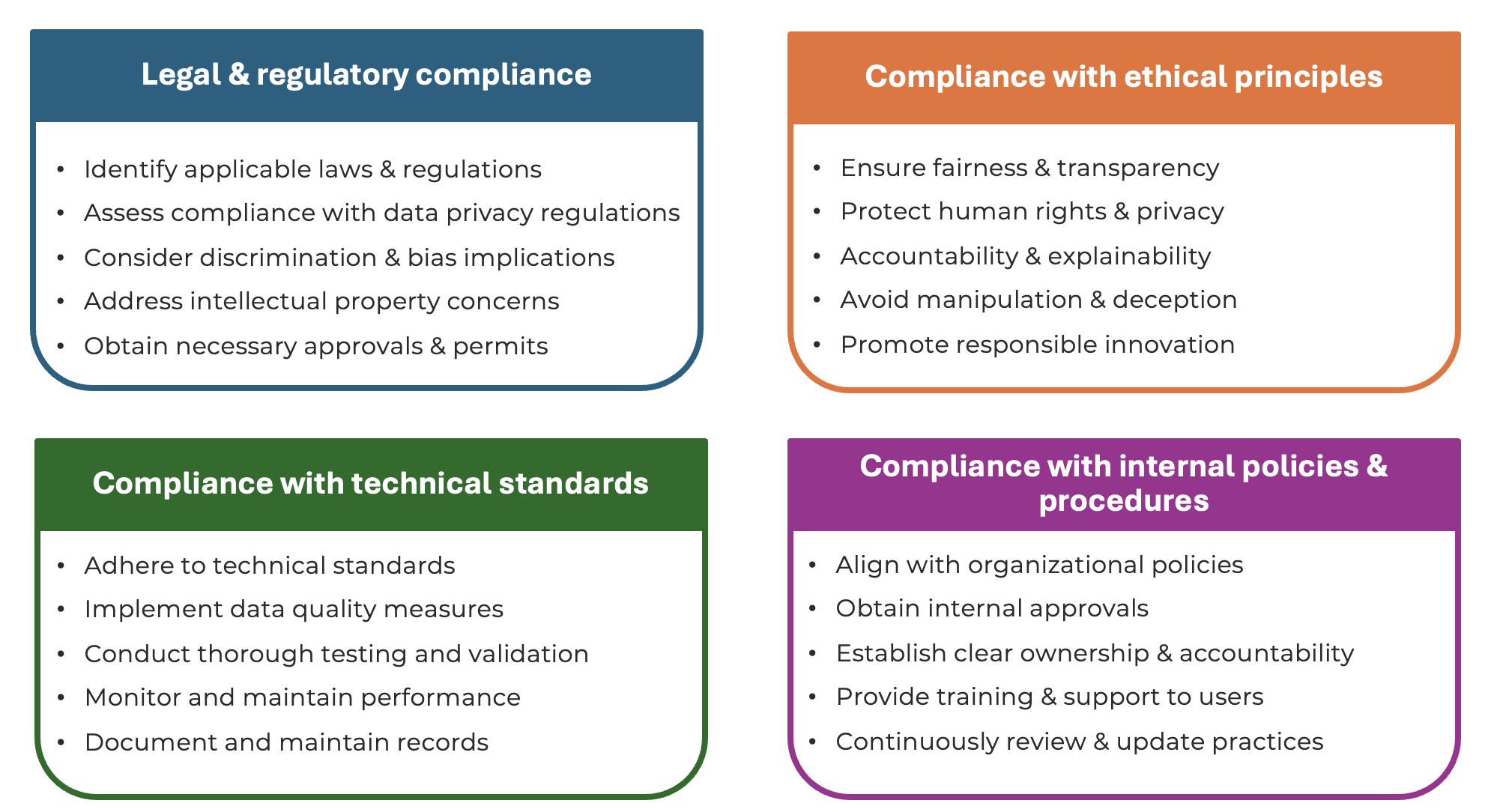
Compliance
Adherence to applicable laws, regulations, ethical principles, and technical standards
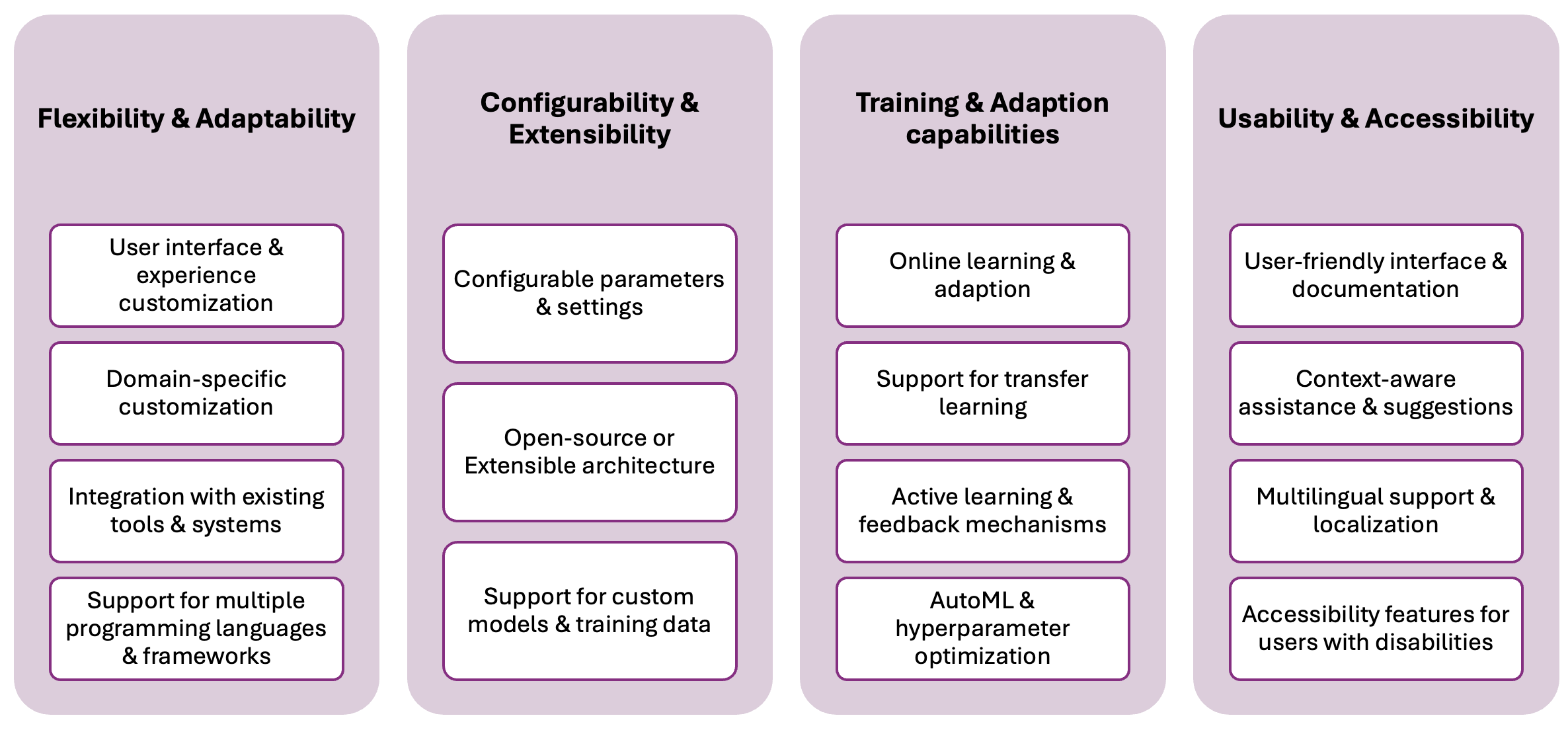
Customization
Tailor the assistant’s behaviour, functionality and user experience to meet specific needs
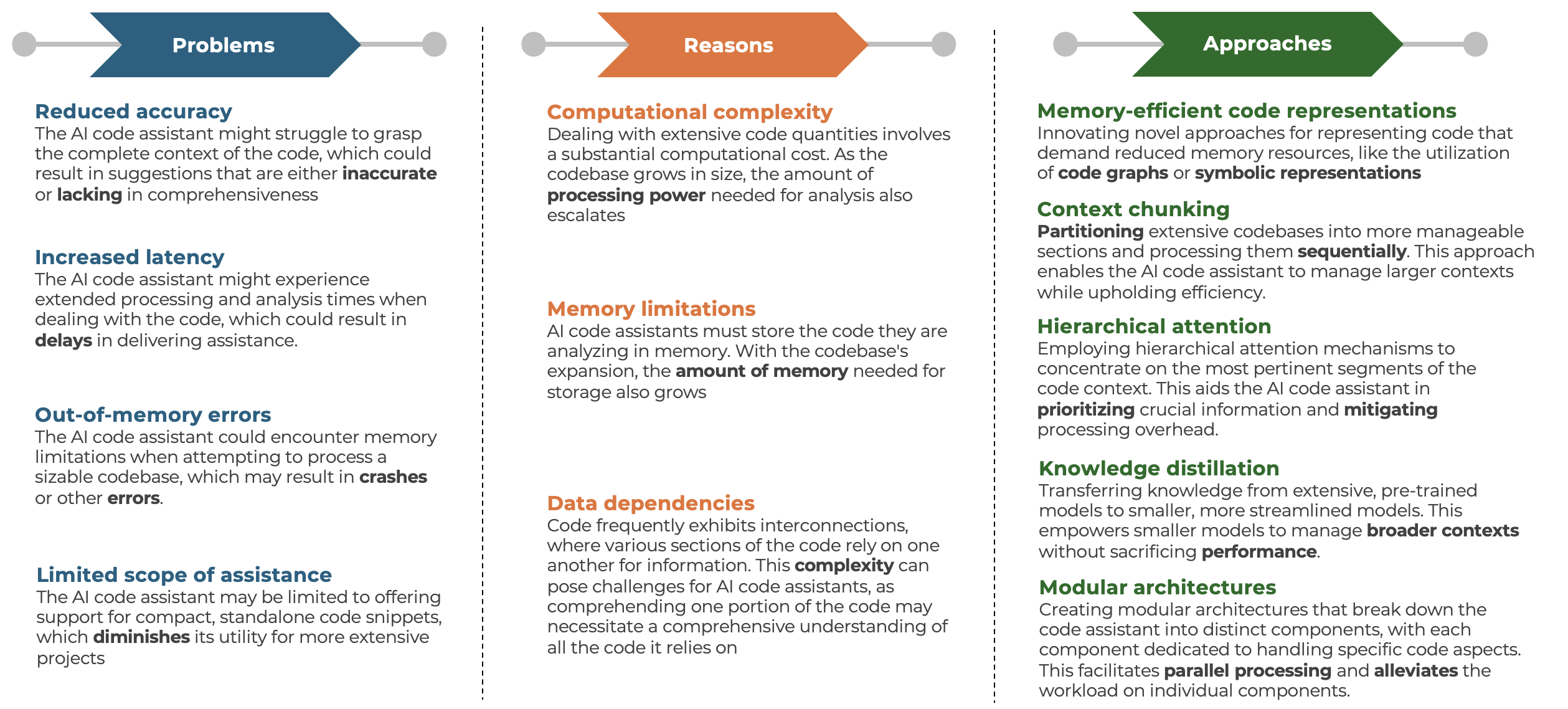
Context Size Limits
Exploring techniques and approaches for effective large code analysis
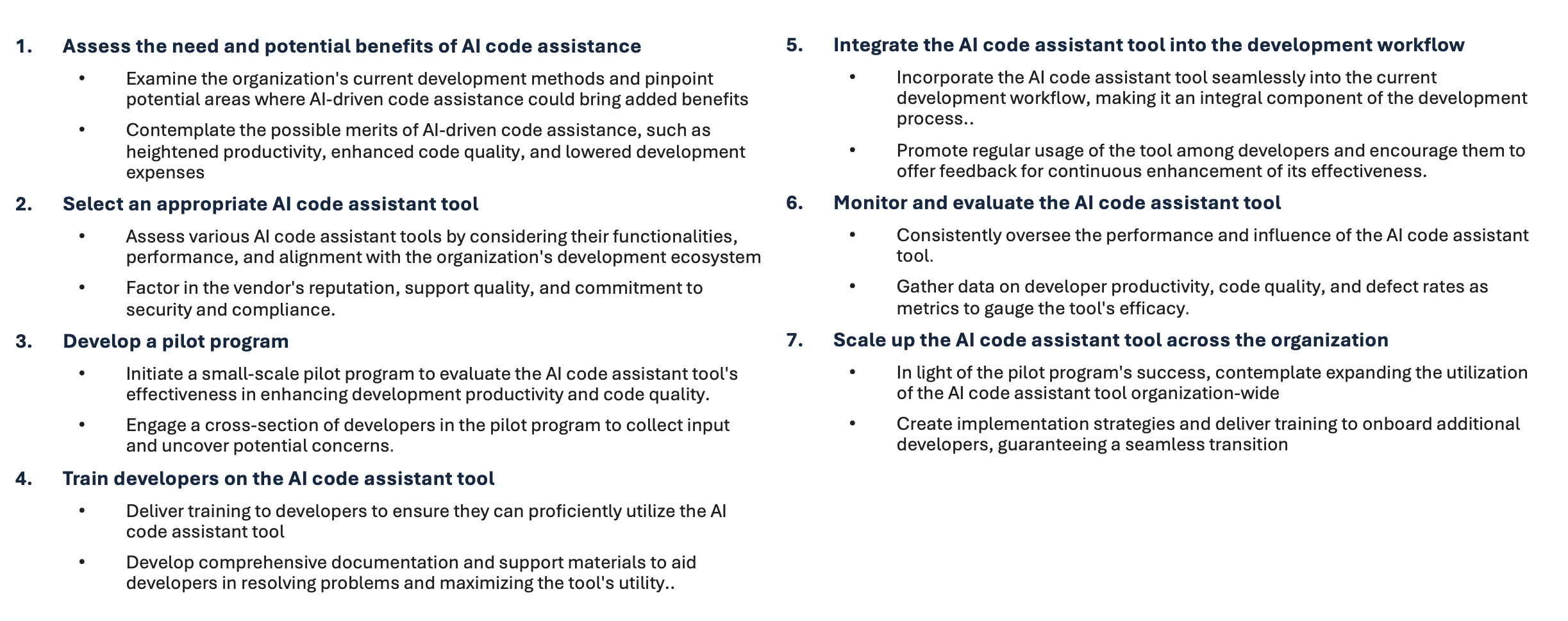
AI Adoption
Guide to Seamlessly Incorporating Artificial Intelligence
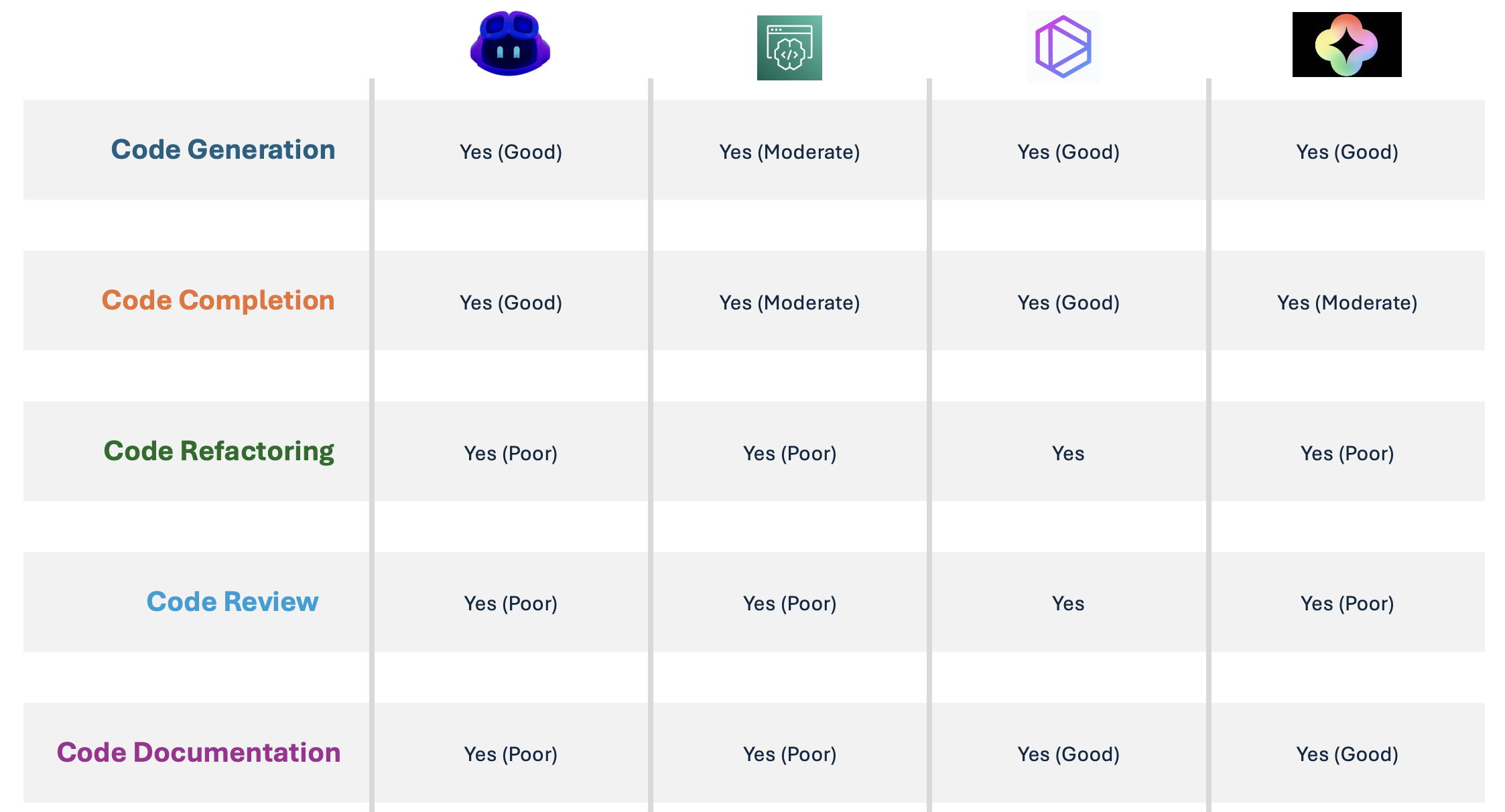
Tools Comparison
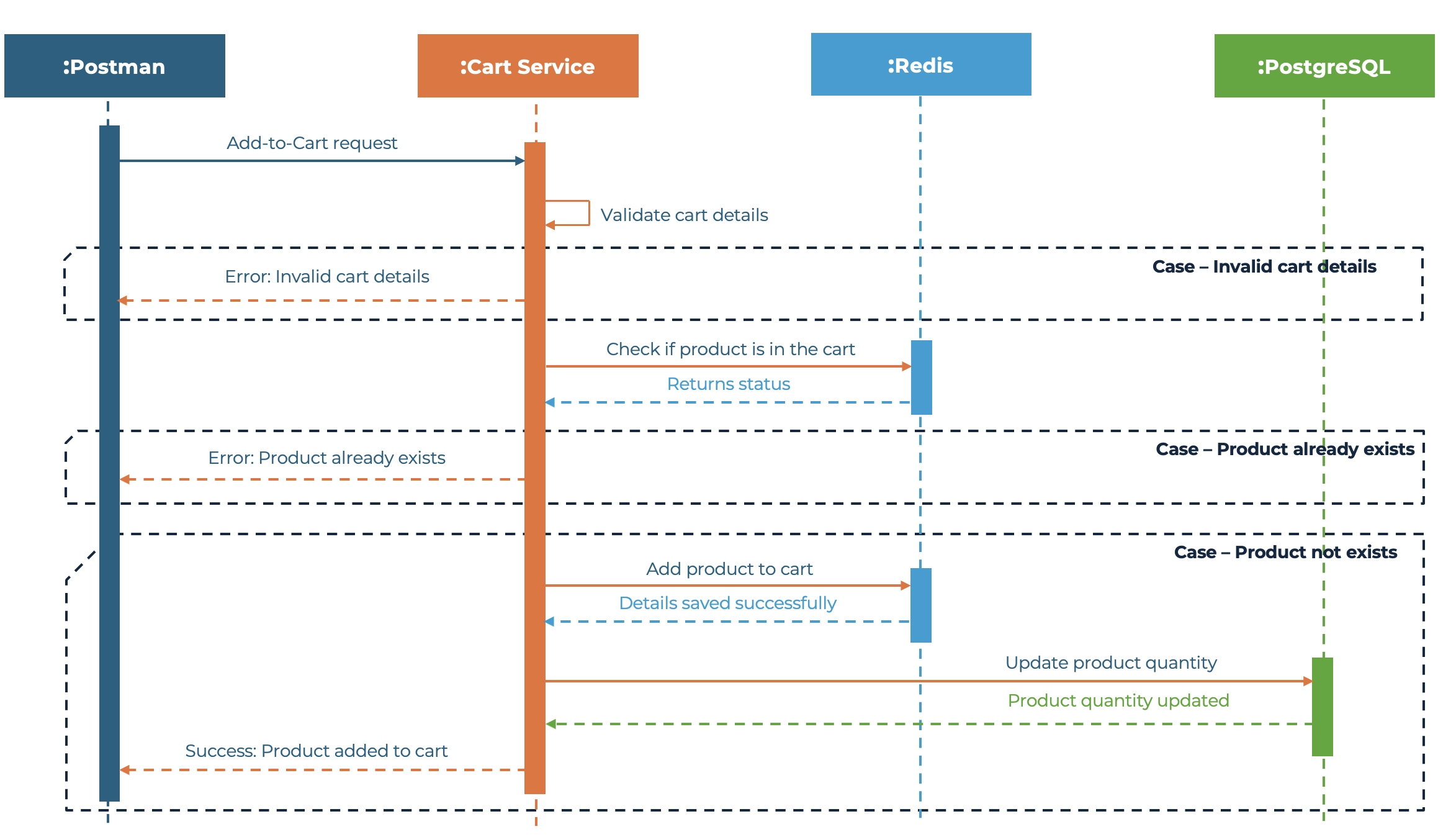
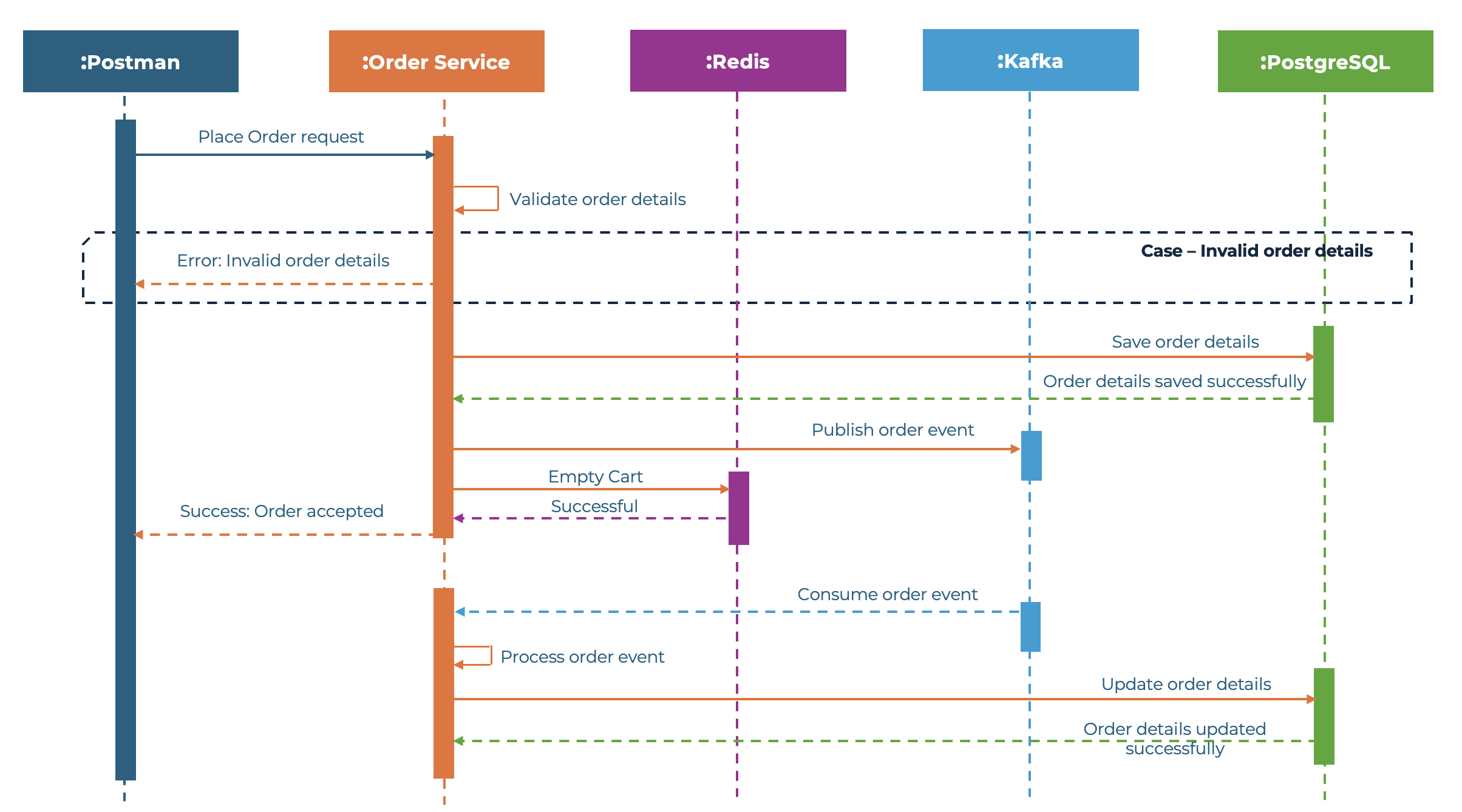
Use case
Add to Cart - API
Place Order - API
Demo
Copilot
Code Whisperer
Tabnine
Duet AI
Comparison
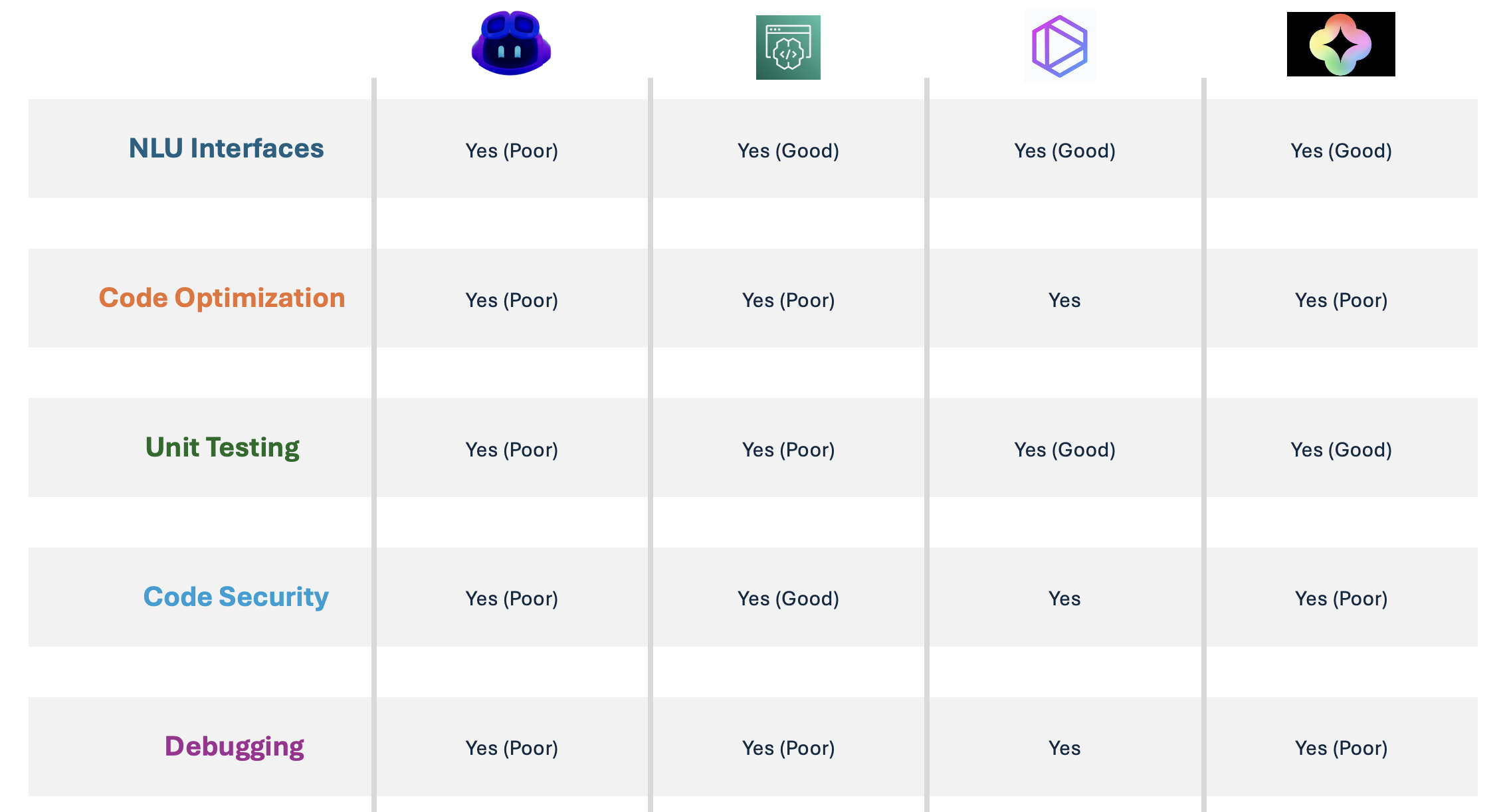
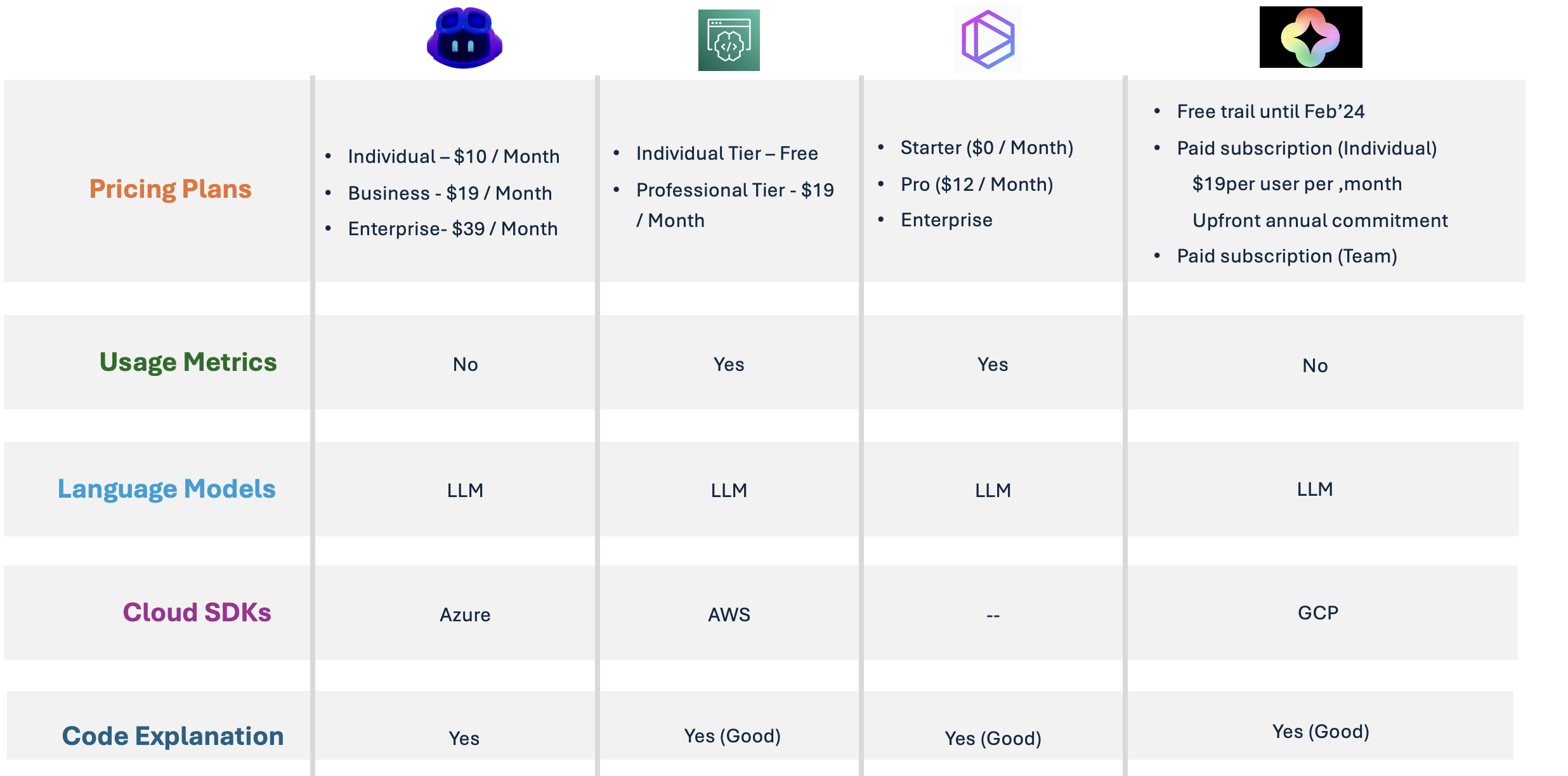
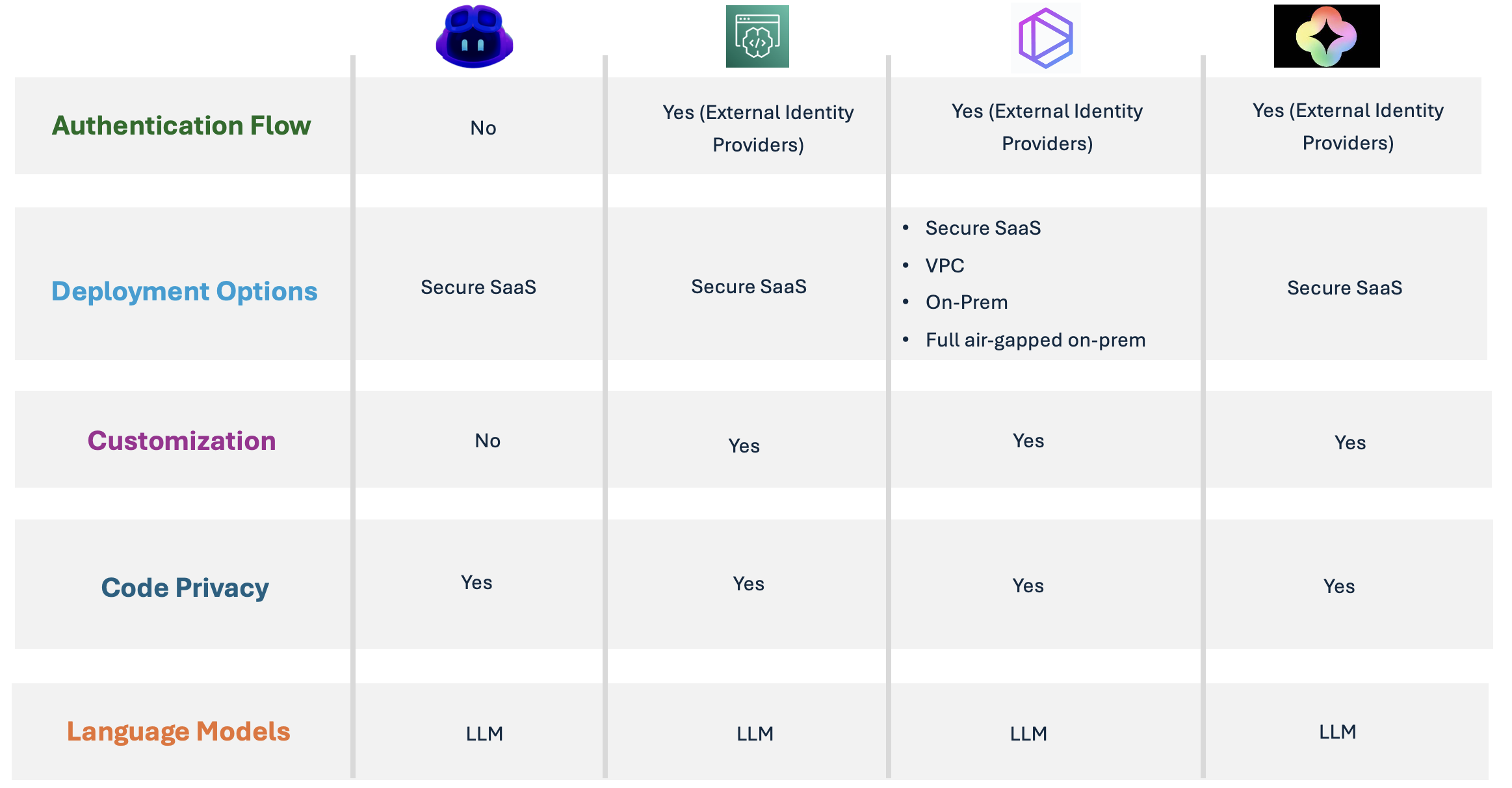
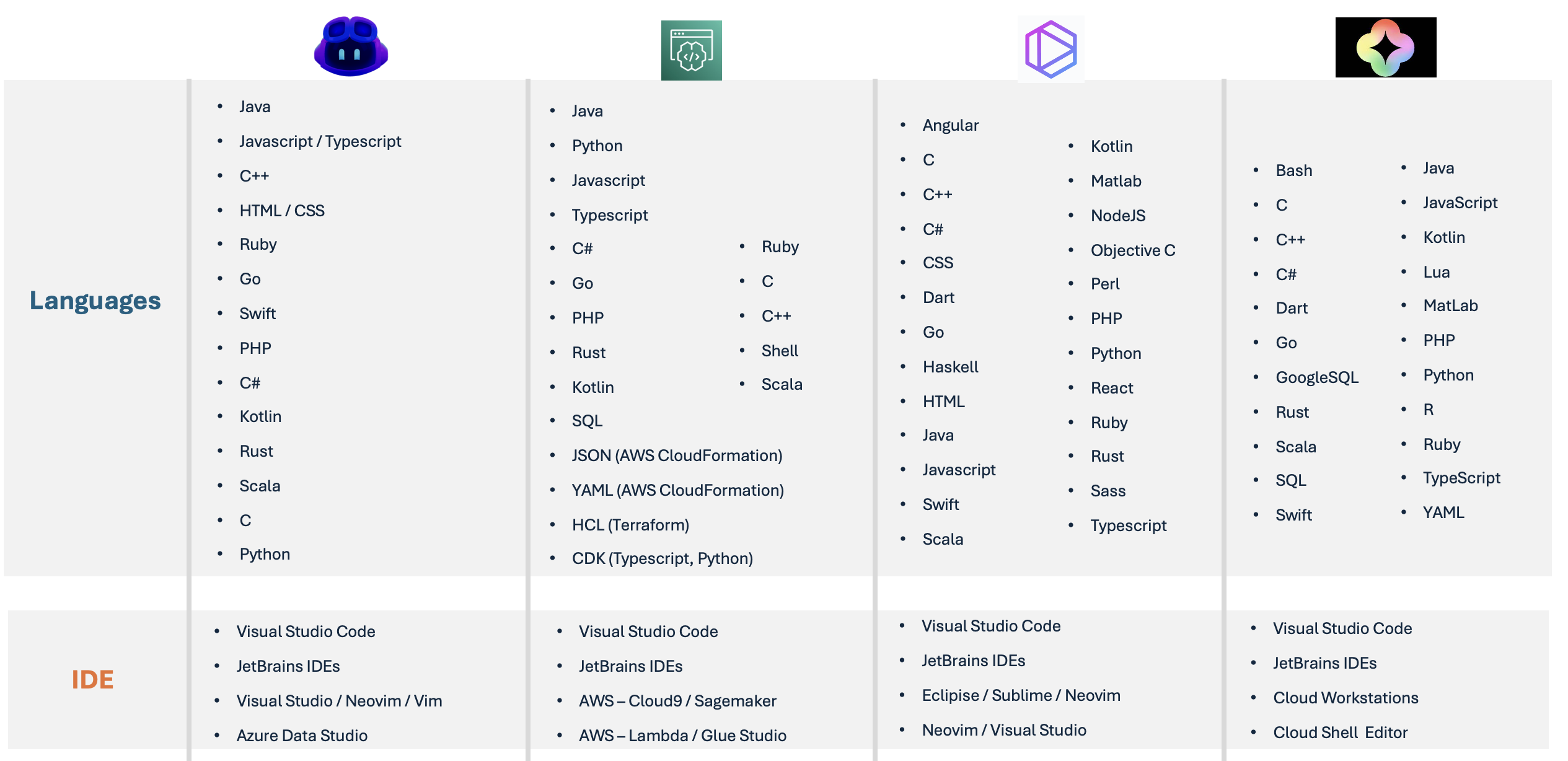
Developer Productivity
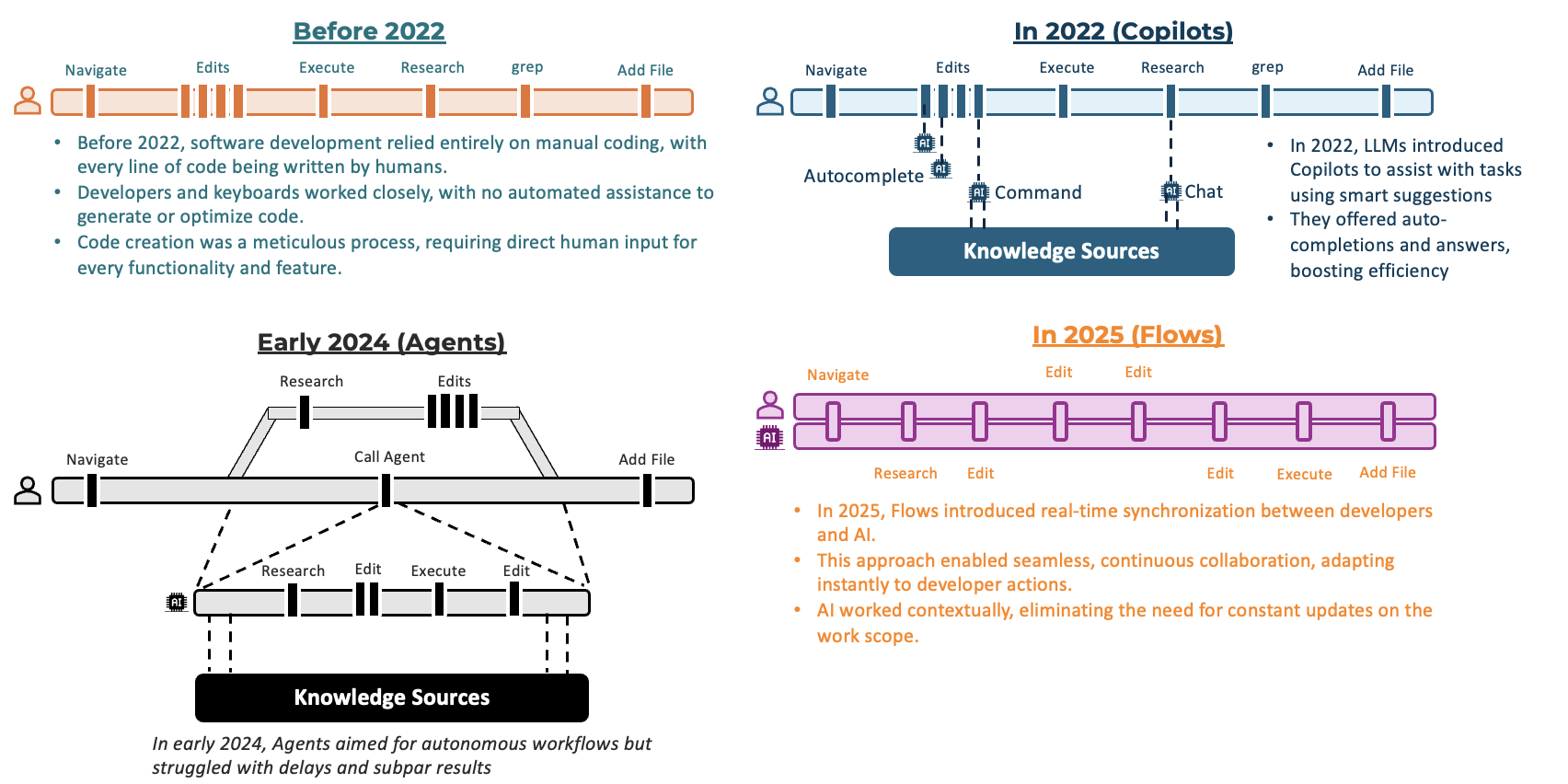
AI Powered Development Environments
-
“Windsurf” and “Cursor” are both AI-powered code editors designed to assist developers by providing intelligent code suggestions, completions, and automation features, essentially acting as coding assistants within a development environment like Visual Studio Code; however, Windsurf is considered more “agentic” with a focus on proactive code manipulation and complex task automation, while Cursor prioritizes user-driven commands and contextual code suggestions with a more refined user interface
-
Detailed comparison - https://www.analyticsvidhya.com/blog/2024/12/windsurf-vs-cursor-ai/
IDE Settings to 5x AI Output Quality
To enhance the quality of AI-generated output, specific IDEs have designated locations for placing custom settings or instructions. These locations vary by IDE and are as follows:
- Visual Studio Code (VS Code): Use the
.github/copilot-instructions.mdfile. This file allows you to provide tailored instructions or rules to guide the AI’s behavior when generating content within the editor. - Cursor: Place the custom settings in the
.cursorrulesfile. This configuration file enables you to define specific rules or guidelines to refine the AI’s output for your projects. - Windsurf: Utilize the
.windsurfrules filefor settings. This file acts as the repository for custom instructions aimed at improving the AI-generated suggestions or completions specific to this development environment.
Instructions or Settings Template for Windsurf / Cursor / VS Code
[Project Name]
Every time you choose to apply a rule(s), explicitly state the rule(s) in the output. You can abbreviate the rule description to a single word or phrase.
Project Context
[Brief description ]
- [more description]
- [more description]
- [more description]
Code Style and Structure
- Write concise, technical TypeScript code with accurate examples
- Use functional and declarative programming patterns; avoid classes
- Prefer iteration and modularization over code duplication
- Use descriptive variable names with auxiliary verbs (e.g., isLoading, hasError)
- Structure repository files as follows:
server/
├── src/
  ├── components/     # Shared React components
  ├── hooks/          # Custom React hooks
  ├── utils/          # Helper functions
  ├── types/          # TypeScript types
  └── lib/            # Shared libraries
extension/
├── src/
  ├── background/     # Service worker scripts
  ├── content/        # Content scripts
  ├── popup/          # Extension popup UI
  ├── options/        # Extension options page
  ├── components/     # Shared React components
  ├── hooks/          # Custom React hooks
  ├── utils/          # Helper functions
  ├── lib/            # Shared libraries
  ├── types/          # TypeScript types
  └── storage/        # Chrome storage utilities
shared/
├── src/
  ├── types/          # TypeScript types, only used for shared types between server and extension
  └── utils/          # Helper functions, only used for shared functions between server and extension
Tech Stack
- React
- TypeScript
- Tailwind CSS
- Shadcn UI
- Chrome Extension
- Express.js
Naming Conventions
- Use lowercase with dashes for directories (e.g., components/form-wizard)
- Favor named exports for components and utilities
- Use PascalCase for component files (e.g., VisaForm.tsx)
- Use camelCase for utility files (e.g., formValidator.ts)
TypeScript Usage
- Use TypeScript for all code; prefer interfaces over types
- Avoid enums; use const objects with ‘as const’ assertion
- Use functional components with TypeScript interfaces
- Define strict types for message passing between different parts of the extension
- Use absolute imports for all files @/…
- Avoid try/catch blocks unless there’s good reason to translate or handle error in that abstraction
- Use explicit return types for all functions
State Management
- Use React Context for global state when needed
- Implement proper state persistence using chrome.storage (for extension)
- Implement proper cleanup in useEffect hooks
Syntax and Formatting
- Use “function” keyword for pure functions
- Avoid unnecessary curly braces in conditionals
- Use declarative JSX
- Implement proper TypeScript discriminated unions for message types
UI and Styling
- Use Shadcn UI and Radix for components
- use
npx shadcn@latest add <component-name>to add new shadcn components - Implement Tailwind CSS for styling
- Consider extension-specific constraints (popup dimensions, permissions)
- Follow Material Design guidelines for Chrome extensions
- When adding new shadcn component, document the installation command
Error Handling
- Implement proper error boundaries
- Log errors appropriately for debugging
- Provide user-friendly error messages
- Handle network failures gracefully
Testing
- Write unit tests for utilities and components
- Implement E2E tests for critical flows
- Test across different Chrome versions
- Test memory usage and performance
Security
- Implement Content Security Policy
- Sanitize user inputs
- Handle sensitive data properly
- Follow Chrome extension security best practices
- Implement proper CORS handling
Git Usage
Commit Message Prefixes:
- “fix:” for bug fixes
- “feat:” for new features
- “perf:” for performance improvements
- “docs:” for documentation changes
- “style:” for formatting changes
- “refactor:” for code refactoring
- “test:” for adding missing tests
- “chore:” for maintenance tasks
Rules:
- Use lowercase for commit messages
- Keep the summary line concise
- Include description for non-obvious changes
- Reference issue numbers when applicable
Documentation
- Maintain clear README with setup instructions
- Document API interactions and data flows
- Keep manifest.json well-documented
- Don’t include comments unless it’s for complex logic
- Document permission requirements
Development Workflow
- Use proper version control
- Implement proper code review process
- Test in multiple environments
- Follow semantic versioning for releases
- Maintain changelog
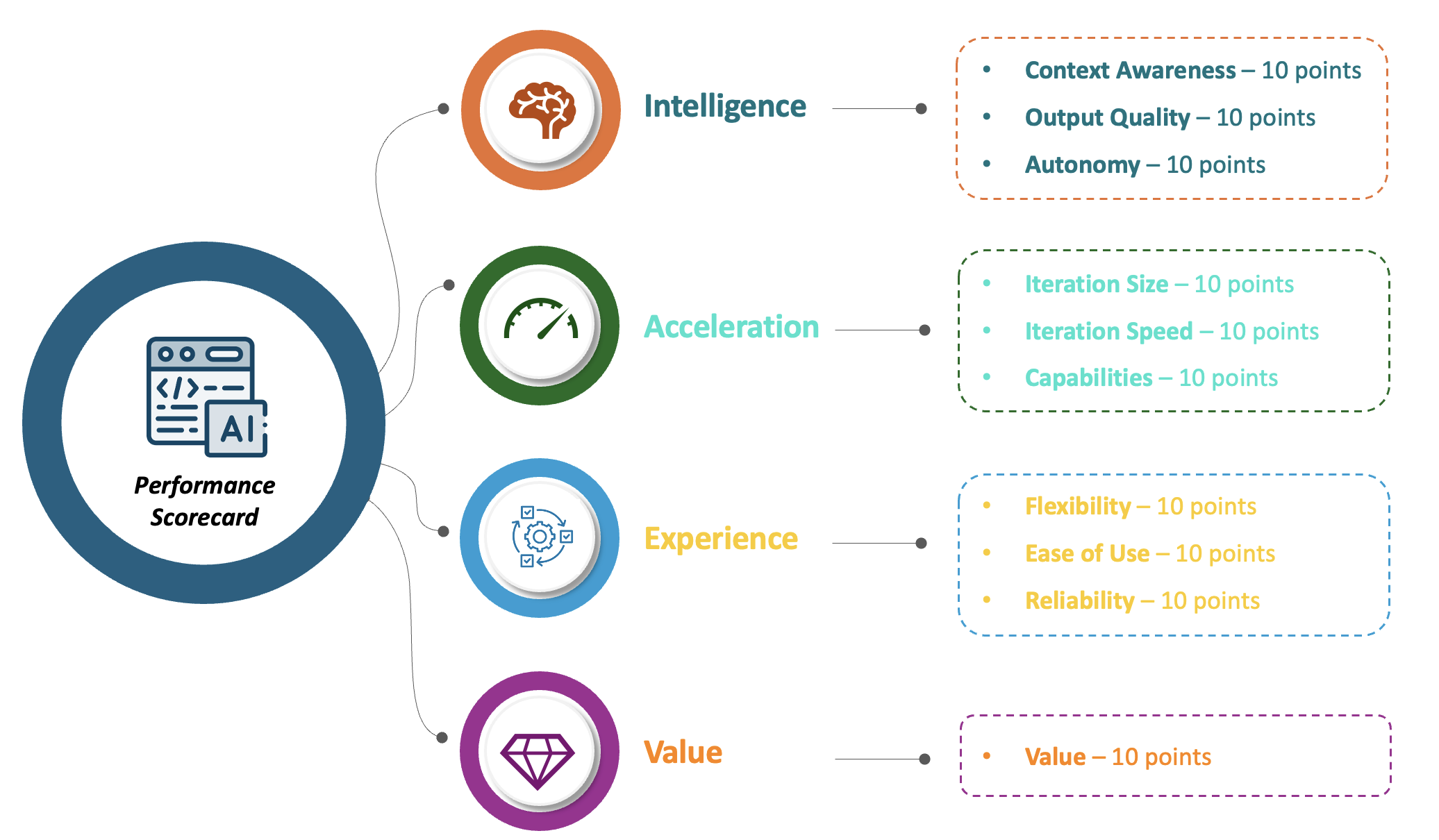
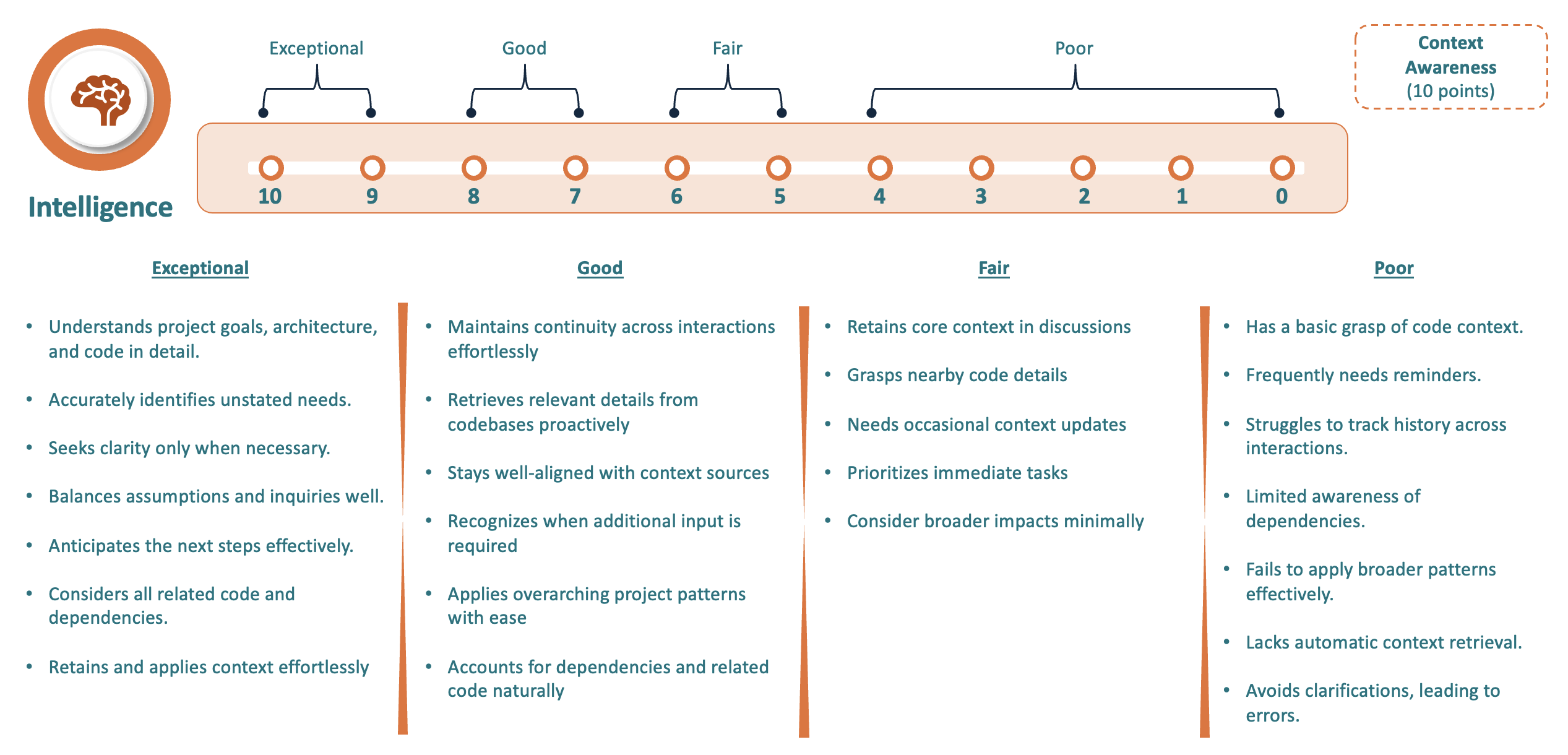
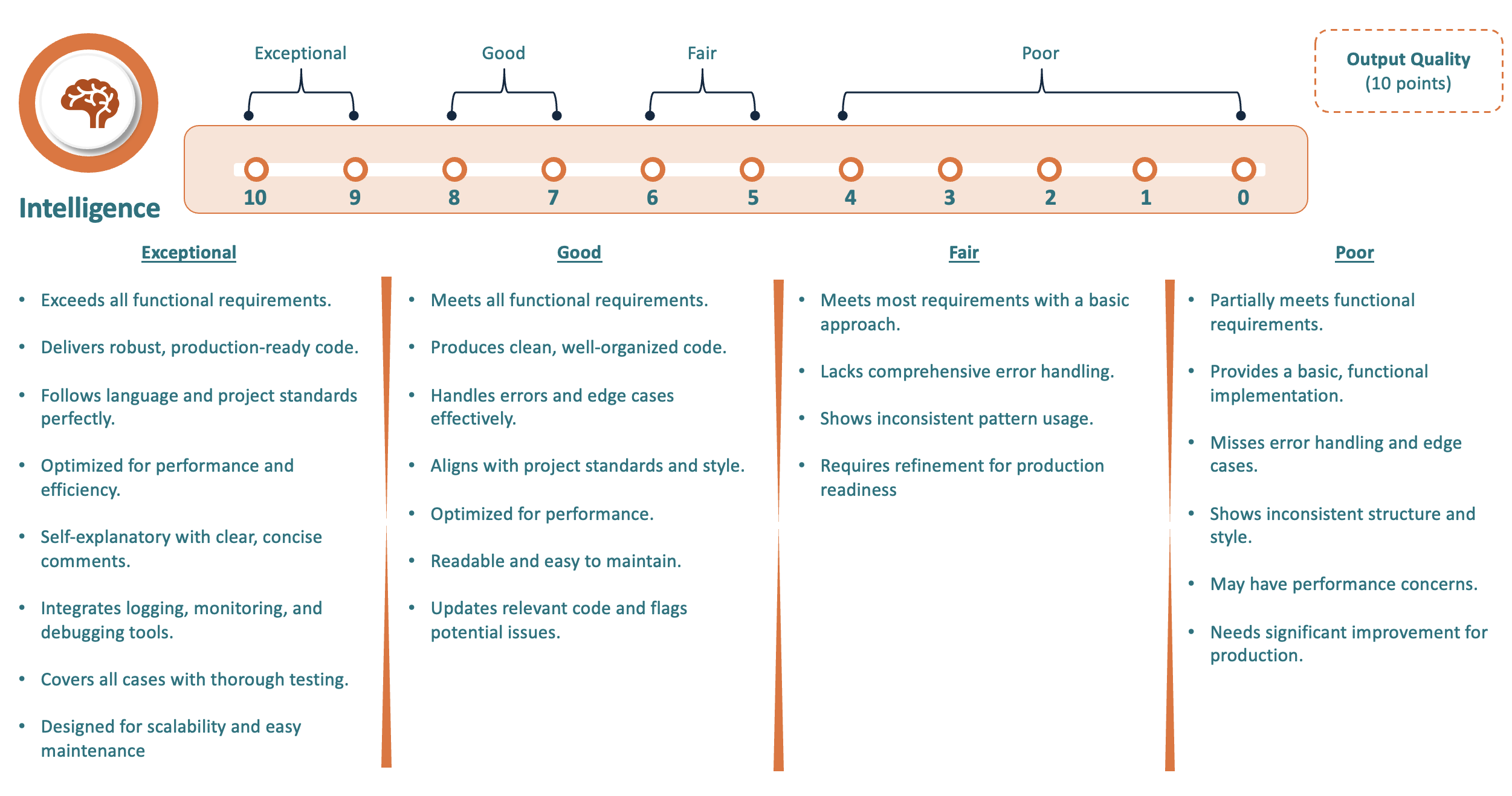
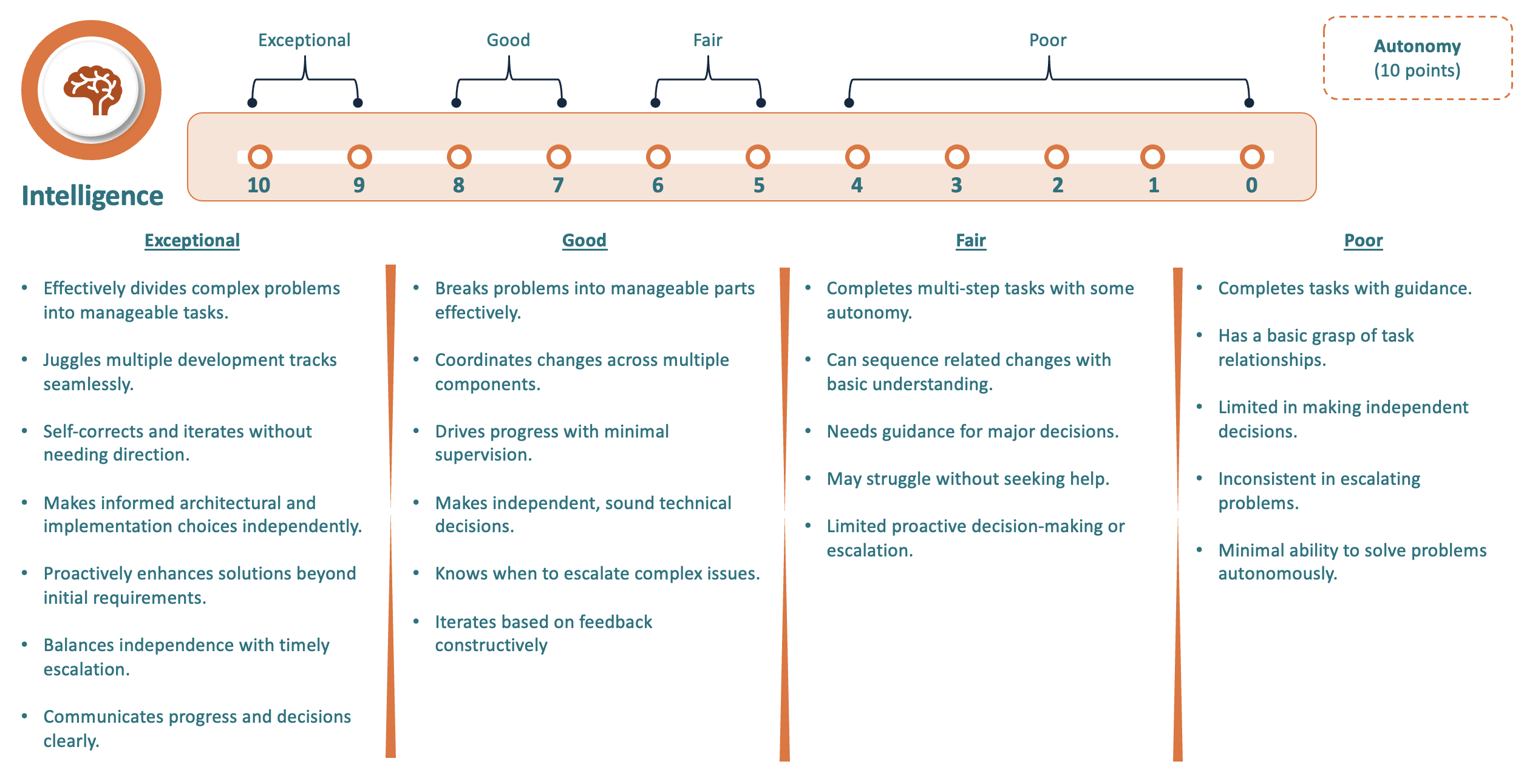
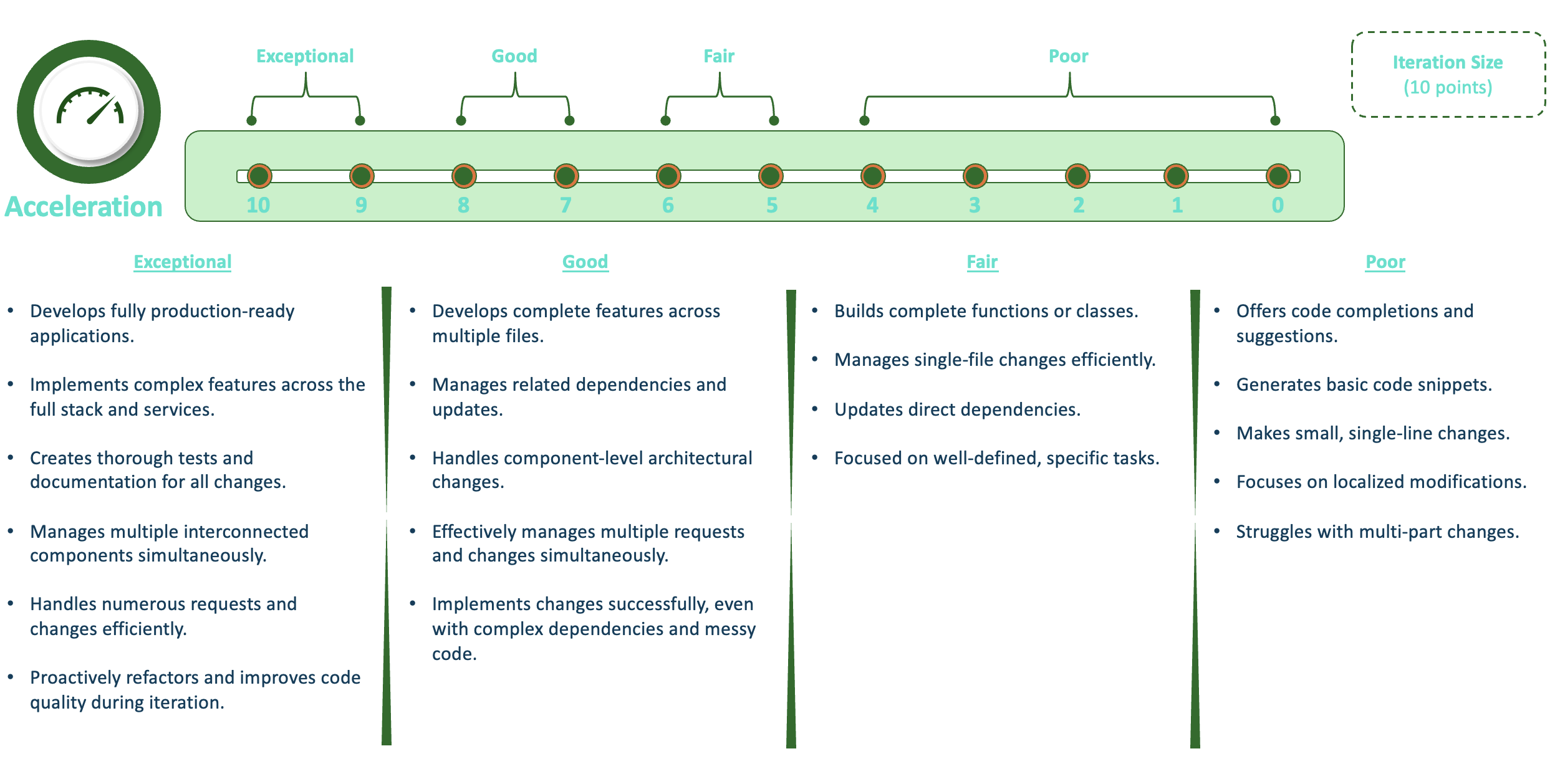
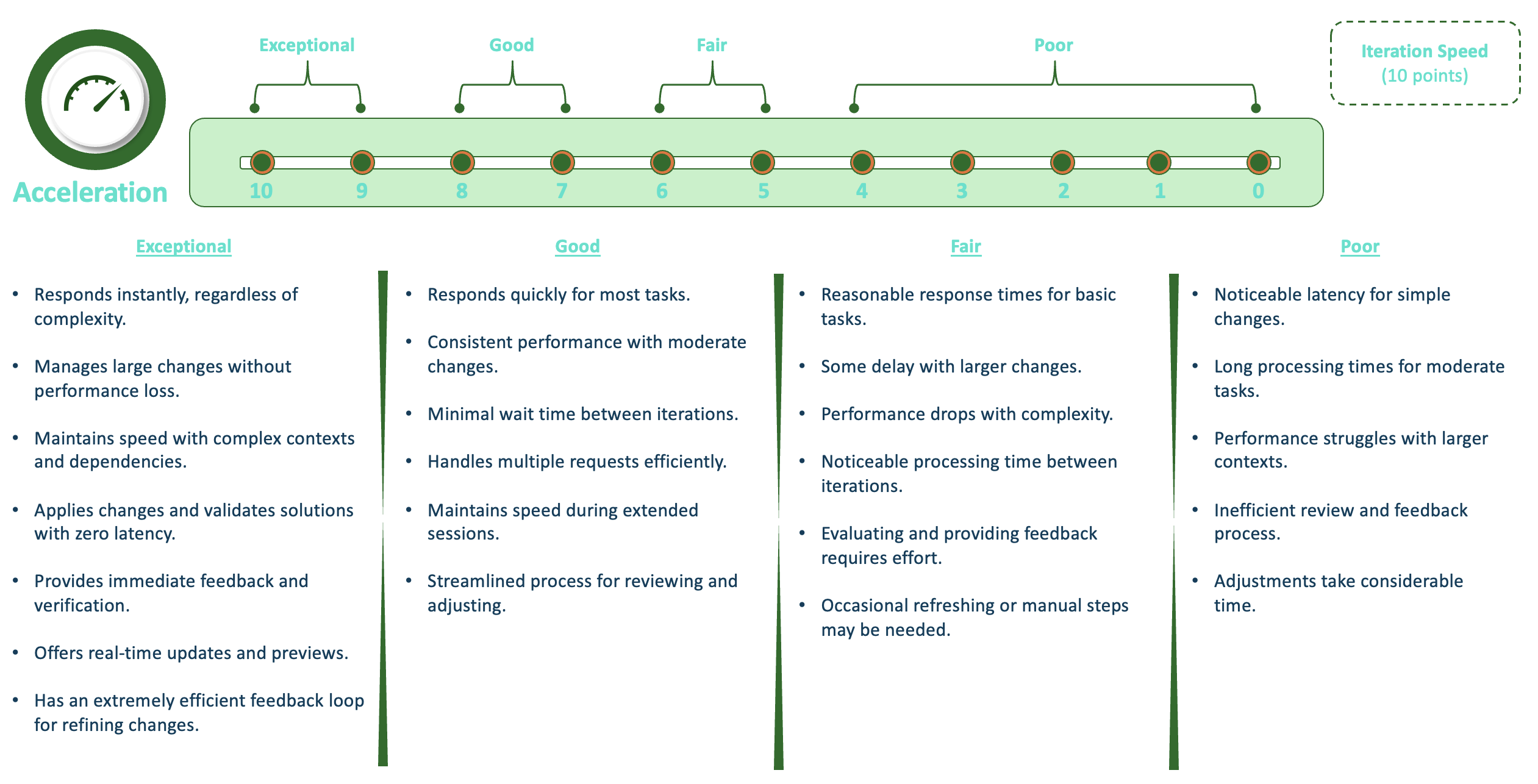
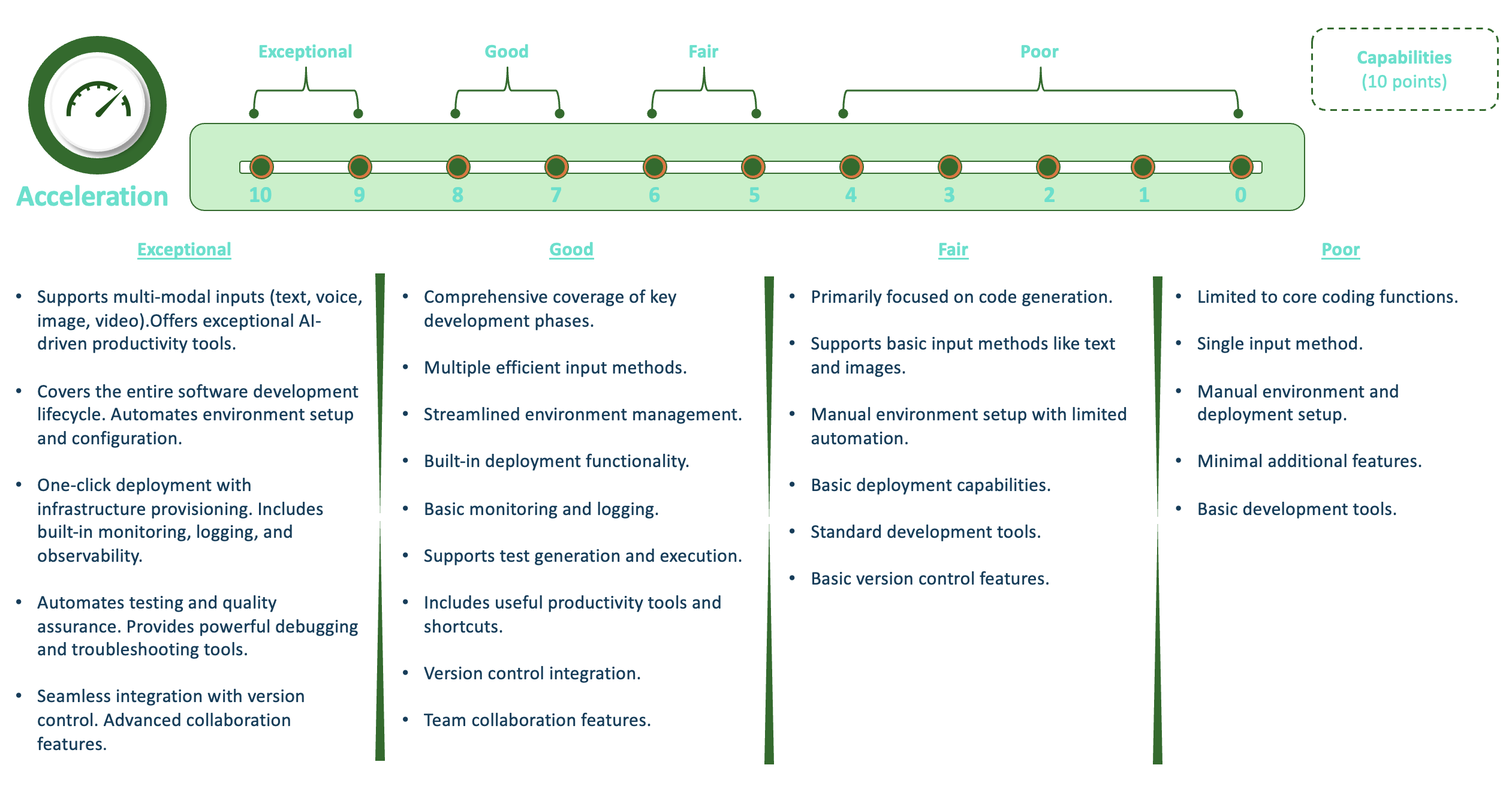
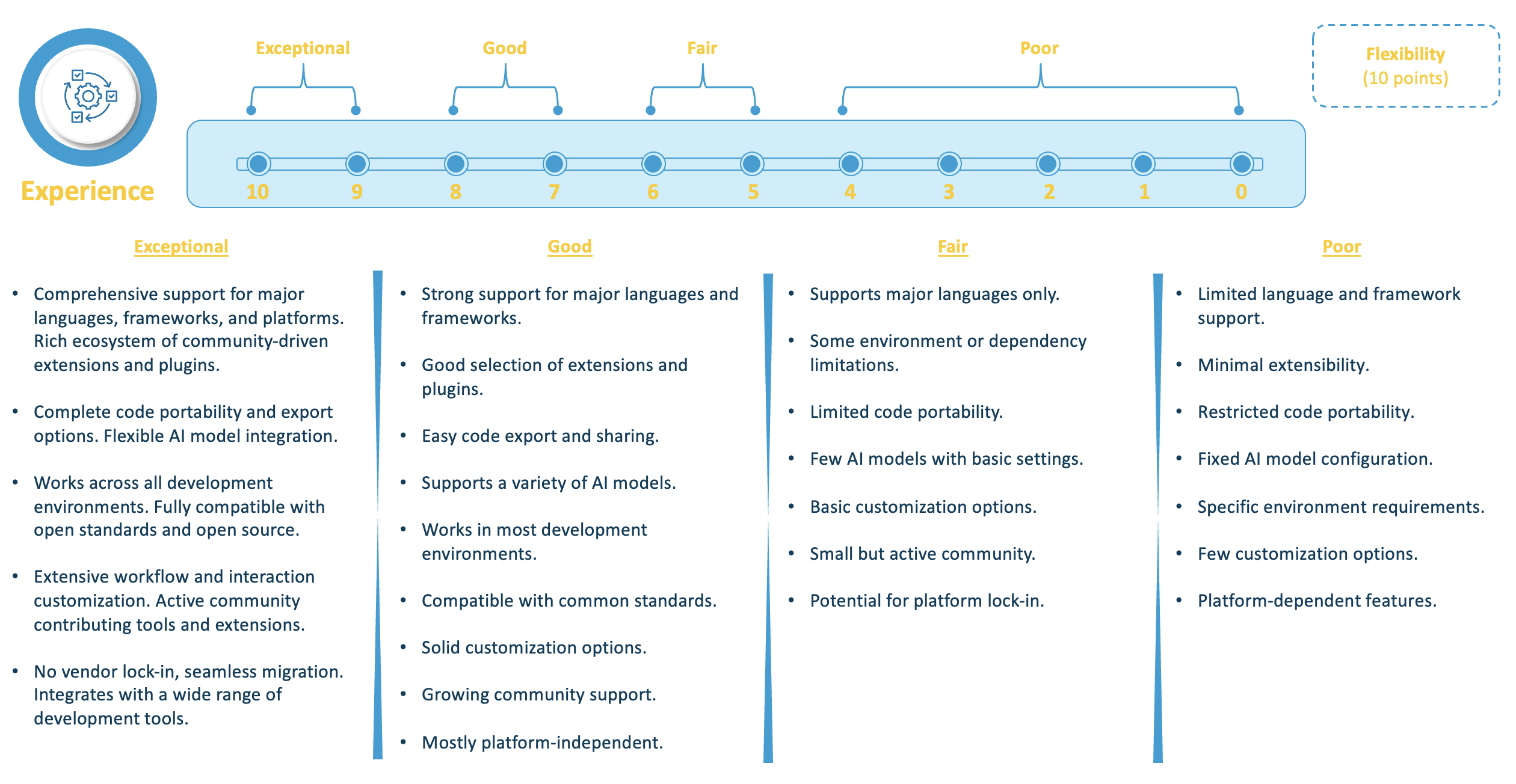
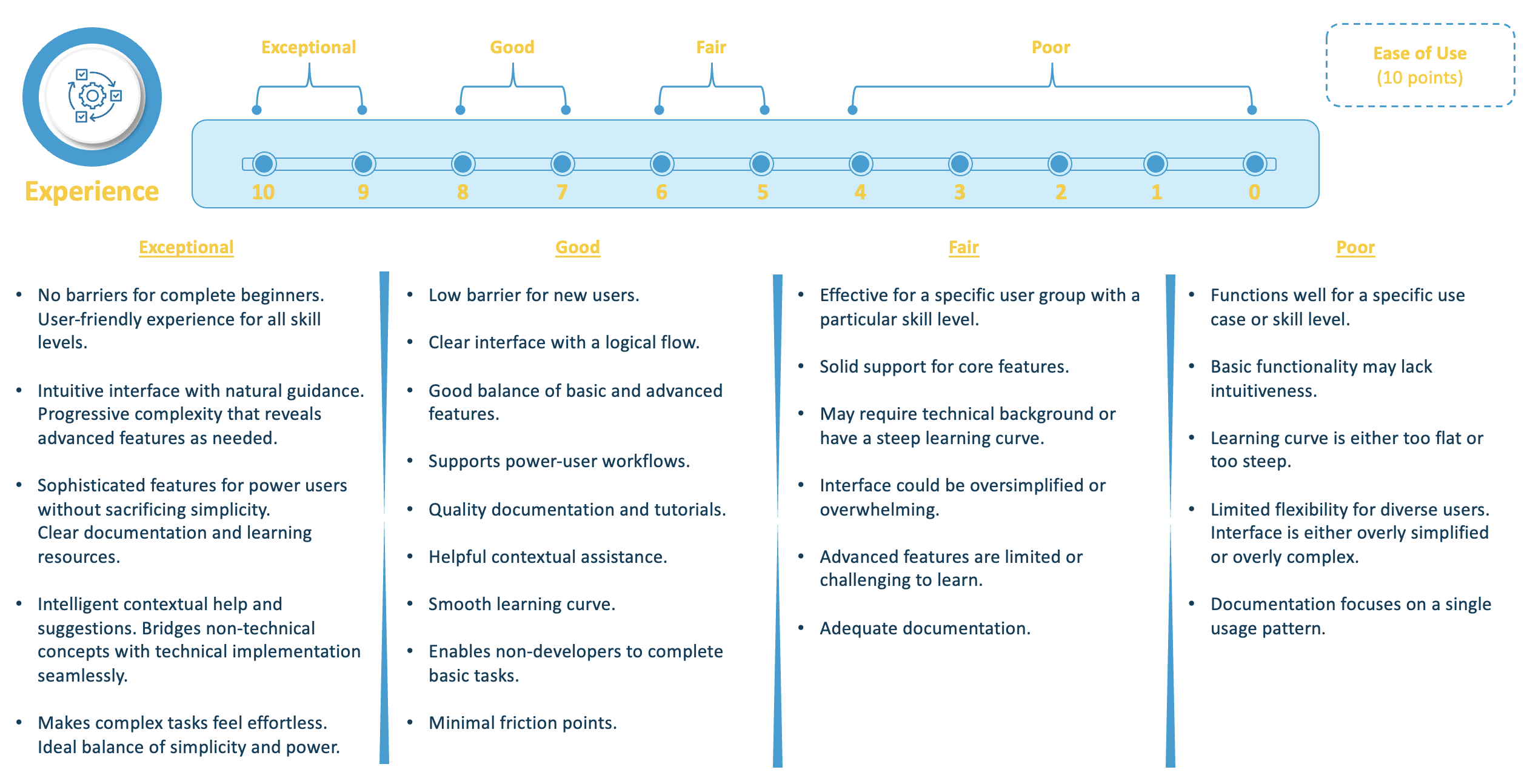
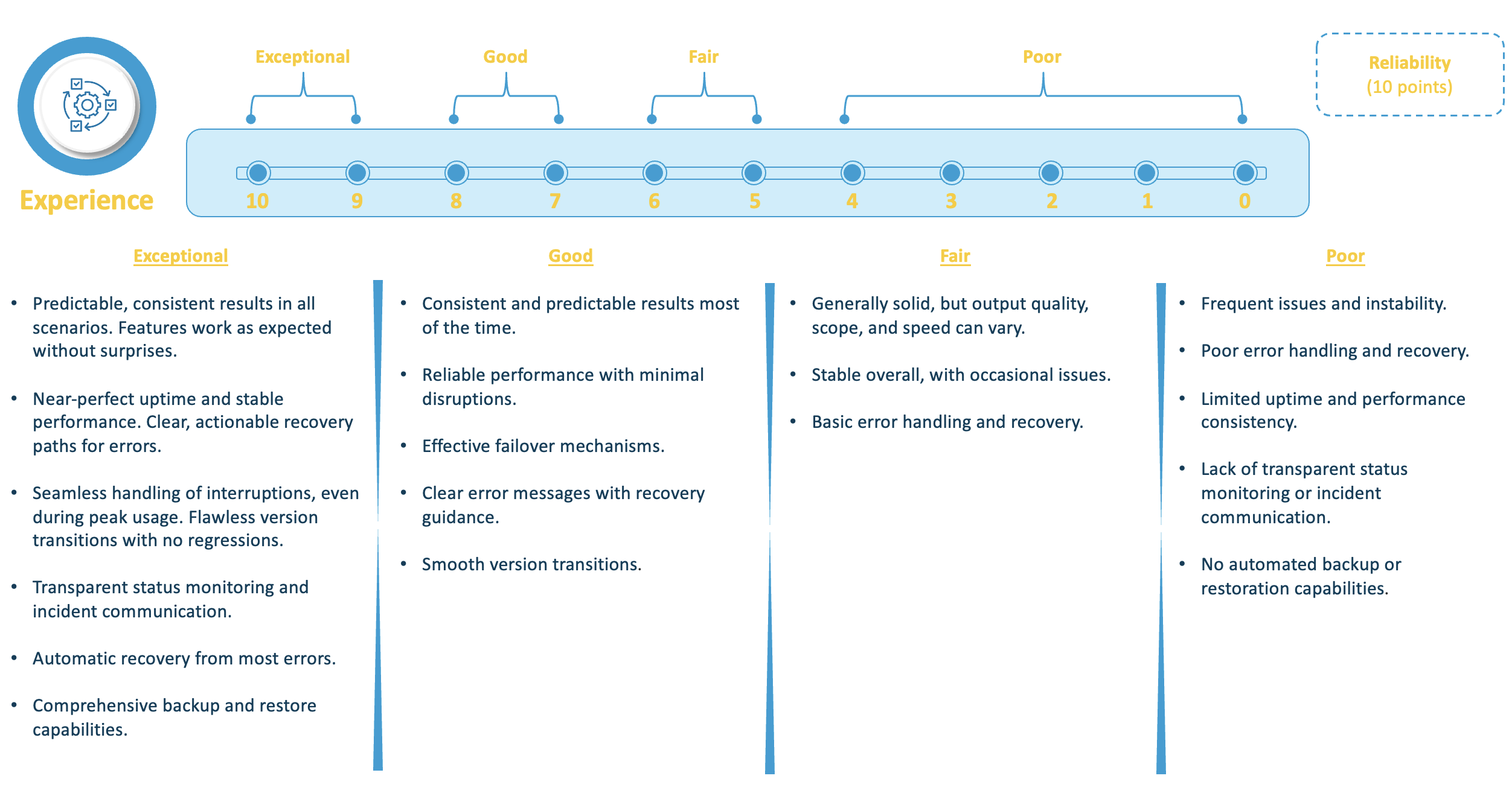
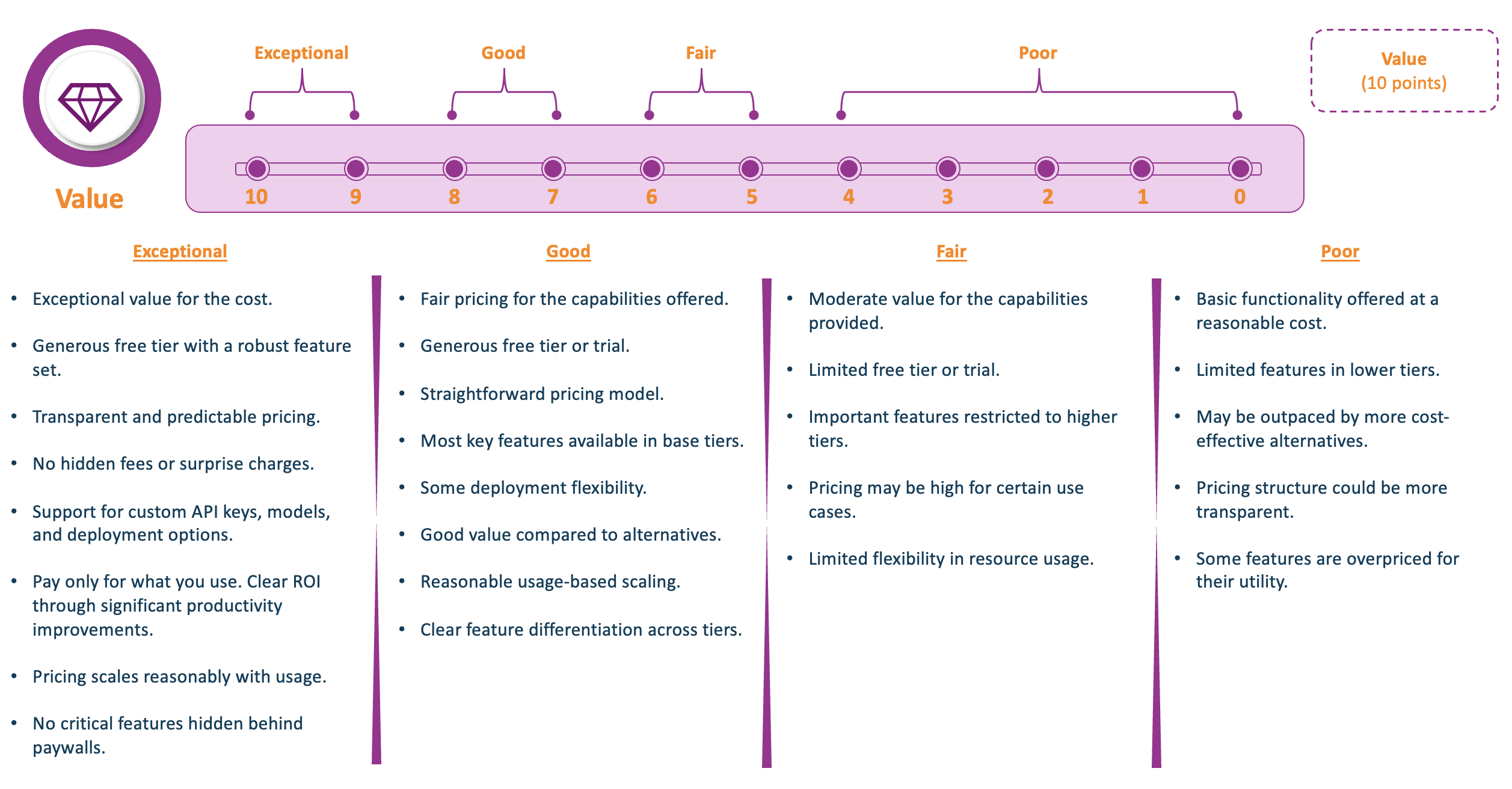
Performance Scorecard
Next-Gen DevX Platform